
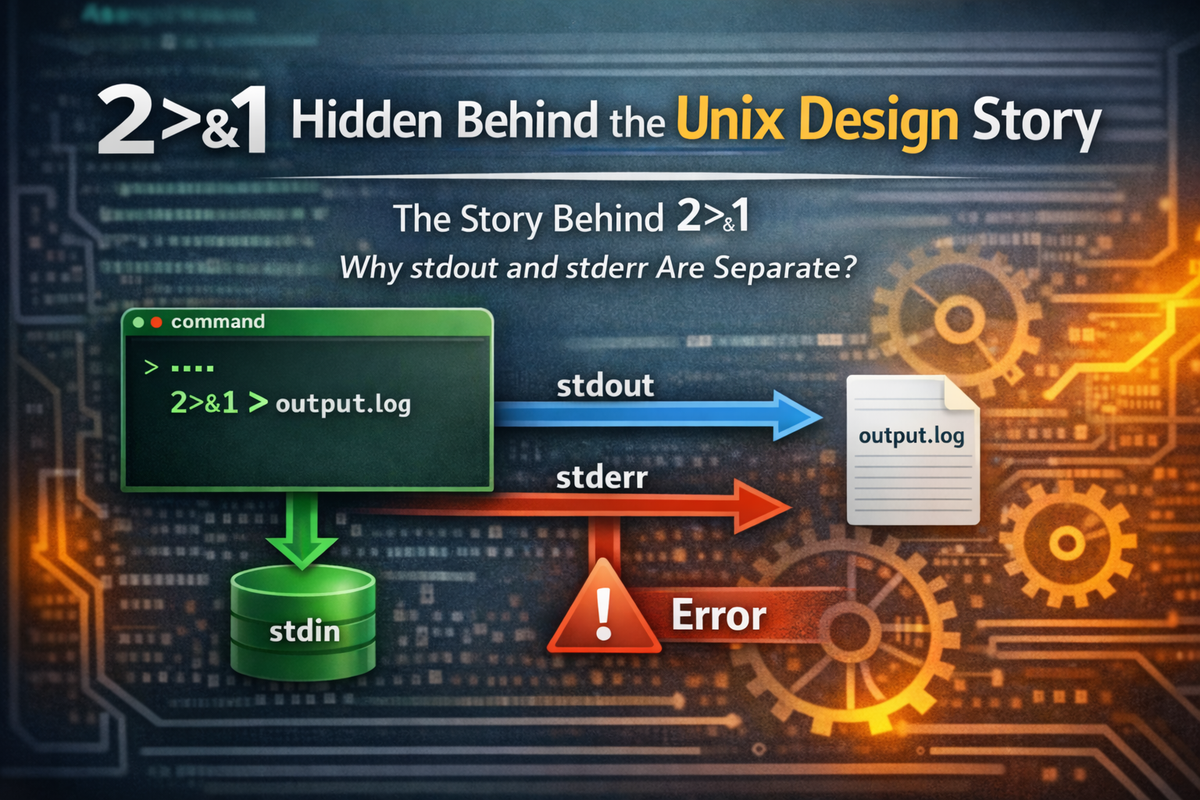
A Question That Began with a Strange Line — 2>&1
Anyone who has spent even a little time using a terminal has likely come across a command like this at least once.
command > file 2>&1This line appears very frequently in Linux and Unix environments. It is almost used out of habit when saving logs to a file or writing automation scripts. Many developers also know what it means. It is usually explained as “send standard output and error output to the same place.” In most situations, understanding and using it that way causes no real problems. However, if you take a moment to look at this line more carefully, an interesting question begins to emerge. Why does the number 2 appear? Why is a symbol like & necessary? And more fundamentally, why do stdout and stderr exist separately in the first place?
This question leads deeper than it first seems. In many programming languages, there is only one console output. When a program prints something, it simply appears on the console. Error messages are displayed on the same console, and so is the program’s output data. From the user’s perspective, there seems to be no particular need to distinguish them. However, Unix initially had a single output as well, but with the introduction of pipes, it became necessary to separate normal data from error messages. This led to the addition of a separate stream called stderr. On top of that structure, syntax like 2>&1 emerged. This was not just a feature added for convenience—it was a design choice made to turn Unix into a system where programs could be connected together.
Looking at it more broadly, this is not just an explanation of shell syntax. The short expression 2>&1 is actually closer to an entry point into a much larger design story—one that spans Unix’s I/O model, its pipeline philosophy, and even its process structure. The line we type into the terminal without much thought contains the same problems and solutions that Unix designers were grappling with decades ago. That is why the best way to understand this line is not to simply memorize redirection syntax, but to follow why such syntax was needed in the first place.
This article begins with that very question.
Why did Unix separate stdout and stderr?
And why are we still using 2>&1 today?
To answer these questions, we first need to look at the state in which a Unix program begins execution. That story naturally leads us to the concept of file descriptors.
A Unix Program Starts with Three Files
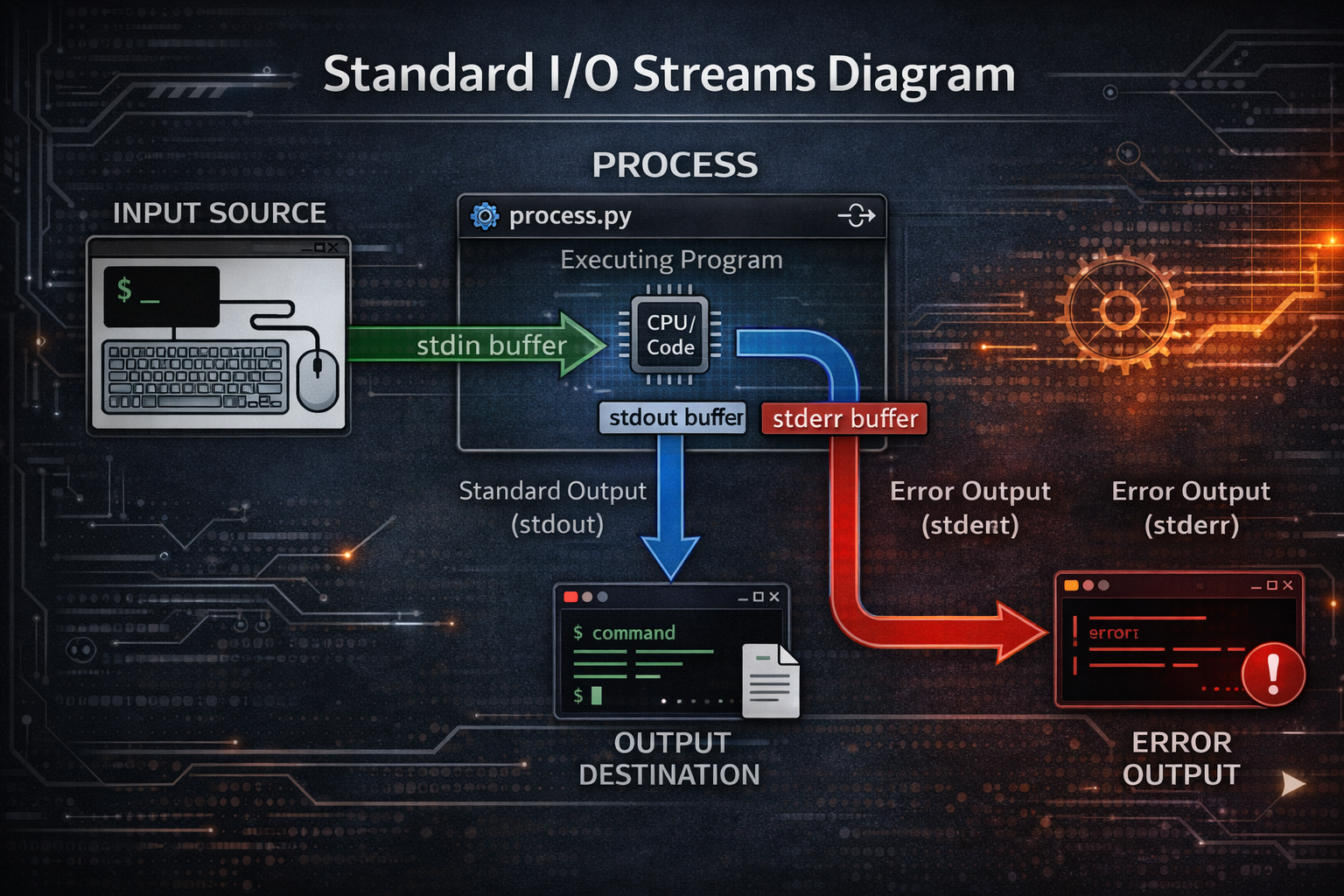
It is not widely known, but when a program runs in Unix, three files are already open. At the moment a program starts, the operating system prepares three file descriptors by default. One is for input, and the other two are for output. We call them stdin, stdout, and stderr. Many people think of these names as special system features, but in reality they are simply conventional names assigned to file descriptor numbers. Inside a Unix system, these three streams are represented as the numbers 0, 1, and 2.
This structure is deeply connected to the Unix design philosophy. One of the most well-known principles of Unix is “Everything is a file.” Not only data stored on disk, but also terminals, pipes, devices, and even network sockets are treated as files. Instead of dealing directly with special devices, programs simply read from and write to file descriptors. Thanks to this model, Unix was able to achieve an I/O structure that is both simple and powerful. From the program’s perspective, it does not need to know whether its output is going to a terminal, being saved to a file, or being passed to another program.
If we simplify the structure at the moment a process starts, it looks like this:
0 → stdin
1 → stdout
2 → stderr
A program simply reads from or writes to these numbers. Functions like printf or write ultimately send data to a specific file descriptor. Where that data actually goes is determined by the shell and the operating system. It could be a terminal, a file, or passed to another program through a pipe. Because of this structure, Unix became an environment where programs can be connected together with great flexibility.
This simple model becomes a fundamental foundation that shapes the entire design of the Unix system. Programs do not interact directly with input/output devices. Instead, they rely solely on the abstract interface of file descriptors. As a result, the same program can run in a terminal, operate on files, or be connected to other programs through pipes. This is one of the reasons Unix tools can be reused across a wide variety of environments.
However, there is still one question that this structure alone does not fully explain.
Why did stdout and stderr need to be separated in the first place?
The answer to this question is tied to one of the most important features in Unix history: the pipe.
A Small Feature That Changed Unix — pipe
In the early 1970s, a feature called pipe was added to Unix based on a proposal by Doug McIlroy. Today, it feels so familiar that it seems almost trivial, but at the time it fundamentally changed how systems were used.
command1 | command2This is now syntax that almost every developer uses naturally. However, this single, simple symbol transformed the way Unix itself was used. Before pipes, programs mostly ran as independent tools. A program would take input, produce output, and then terminate. It was not common for programs to be directly connected to one another. But with the introduction of pipes, programs were no longer standalone tools—they became components that could be connected together.
Consider a simple command like this:
ls | sortAt first glance, it looks very straightforward. ls outputs a list of files, and sort arranges the input data. But something interesting happens behind the scenes. The data produced by the ls program is passed through the operating system via a pipe, and that data becomes the input for the sort program. The two programs have no knowledge of each other. They do not even recognize each other’s existence. Yet they naturally form a single workflow.
This structure reflects the core of the Unix philosophy. A program only needs to do one thing well. There is no need to pack complex functionality into a single program. Instead, by connecting small programs, larger tasks can be accomplished. This approach made Unix an extremely flexible and extensible environment. Users could combine different programs to create their own workflows, and new programs could easily integrate with existing tools.
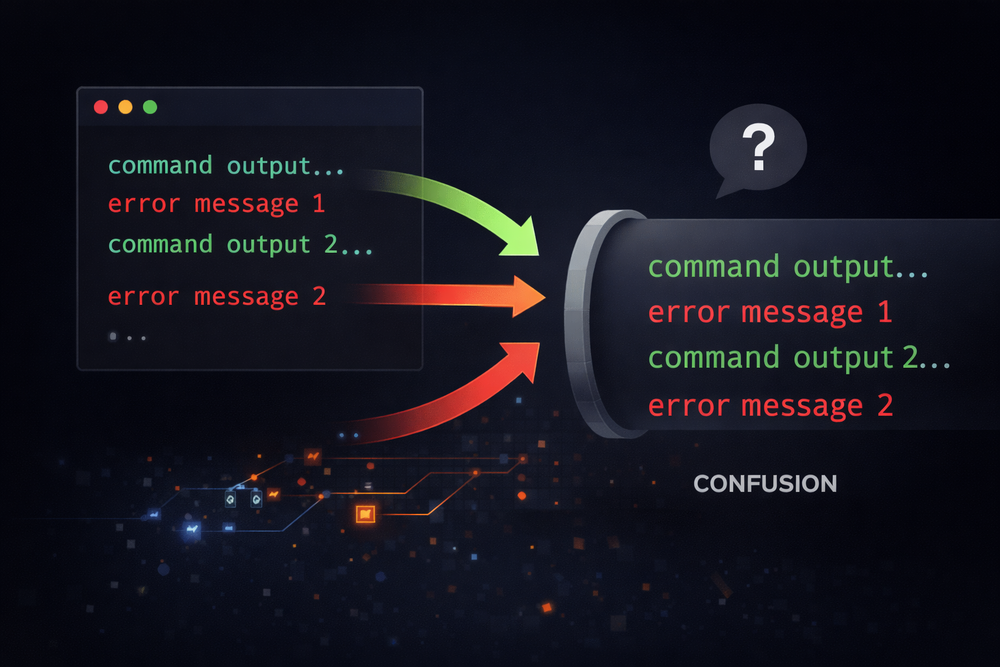
However, within this elegant design, there was an unexpected problem. Programs do not always output only valid data. Sometimes they also produce error messages. If those error messages are sent through the same output stream as the data, the entire pipeline can break. For example, in a pipeline that processes file listings, if error messages get mixed into the data stream, the result can change completely. Unix designers recognized this not as a minor inconvenience, but as a problem that could undermine the very philosophy of pipes.
The solution that emerged was the separation of stdout and stderr. By splitting normal data and error messages into different streams, the integrity of the pipeline’s data flow could be preserved. Thanks to this design, Unix was able to evolve into a stable, pipe-based automation system over the decades.
In the next section, we will take a deeper look at this key design decision—what it really means to separate stdout and stderr.
Error Messages That Break Pipelines
As discussed earlier, Unix pipes were a powerful feature that turned programs into connectable tools. By chaining small programs together, Unix evolved beyond a simple operating system into a full-fledged working environment. However, as this structure began to be used in practice, an unexpected problem started to emerge: not all text output by a program is necessarily “data.”
Many programs produce not only valid results but also error messages. Consider the ls command, which lists files. If you pass both a valid directory and a non-existent path, ls will produce two kinds of output. One is the actual file list, and the other is an error message indicating that the path does not exist. In a terminal, this is usually not a problem. The user can easily distinguish between data and error messages by looking at the screen. But once pipes are introduced, the situation changes completely.
For example, consider the following command:
ls /tmp /not-exist | wc -lThe intention of this command is very simple: to count the number of files in the /tmp directory. However, in reality, the wc program receives the entire output of ls as its input. That means it processes not only the file list but also the error messages as input data. As a result, the meaning of the pipeline’s output becomes completely different. From the user’s perspective, they intended to count files, but in practice, the line count includes error messages as well.
This problem goes beyond a minor inconvenience—it directly conflicts with the core philosophy of Unix design. For pipelines to work reliably, a program’s output must be as predictable as possible. If error messages are mixed with data, any automation built on top of pipes becomes inherently unstable. Scripts written by system administrators or developers could produce entirely different results due to a single unexpected error message.
Unix designers took this issue very seriously. If pipes were central to the Unix philosophy, then anything that undermined that philosophy had to be addressed. The solution was the separation of output streams. By sending normal result data and error messages through different paths, they aimed to preserve the integrity of the pipeline’s data flow. This decision was not just an added feature—it was a fundamental design choice that reshaped the entire Unix I/O model.
In the next section, we will take a closer look at this key concept: what it really means to separate stdout and stderr.
The Separation of stdout and stderr
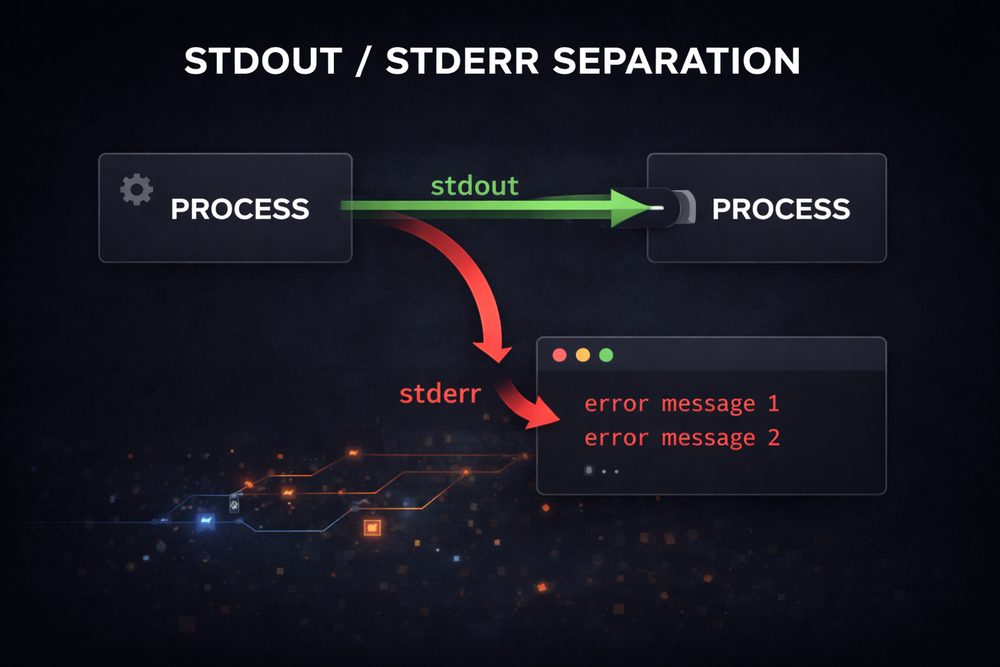
To solve the pipeline problem, Unix designers chose a solution that was surprisingly simple. Instead of handling a program’s output as a single stream, they split it into two streams. One is for the program’s normal data output, and the other is for error messages. This is how the concepts of stdout and stderr were introduced.
The key point of this structure is that pipes, by default, carry only stdout. When a program outputs normal data, that data is passed through the pipe to the next program. On the other hand, error messages are sent through a separate stream, stderr, which by default is directed to the terminal. Thanks to this design, pipelines can operate reliably. Even if a program produces error messages, the flow of data through the pipe remains unaffected.
This design is simple, yet it produces powerful effects. Programs no longer need to worry about the type of output they generate. They simply send normal results to stdout and error messages to stderr. After that, where the output goes is determined by the shell and the operating system. Users can choose to redirect only stdout to a file, log only stderr, or even merge the two streams again if needed.
If we express this structure in a simplified form, it looks like this:
program
├ stdout → pipe → next program
└ stderr → terminal
Thanks to this separation, Unix pipelines became highly effective tools for automation. Even when multiple programs are connected to perform complex data processing tasks, error messages do not interfere with the flow of data. As a result, Unix evolved into an environment where small programs can be freely combined, and this structure has remained a core characteristic of Unix-like systems for decades.
What is interesting is that stdout and stderr may seem like special system features, but in reality they are simply different file descriptors. From the operating system’s perspective, there is no special distinction—just two separate output channels. This simple model is what allows Unix to maintain such a flexible I/O structure.
At this point, a natural question arises. If stdout and stderr are just different file descriptors, then we should be able to connect them in different ways—or even merge them again. And that is exactly where the expression we saw at the beginning comes in: 2>&1.
The Line That Emerges: 2>&1
Once you understand that stdout and stderr are separate streams, you can start to look at the line we saw earlier from a different perspective.
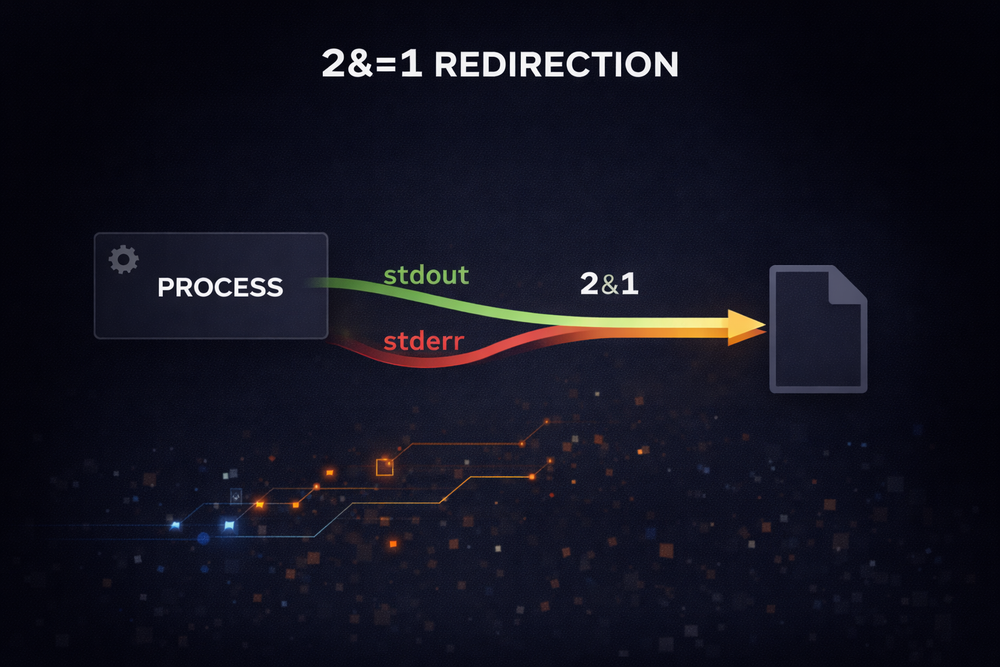
command > file 2>&1This line carries more structure than simply “save the output to a file.” In fact, it contains two stages of redirection. First, the > operator sends stdout to a file. In other words, the program’s normal output is directed to a file called file instead of the terminal. Then the expression 2>&1 appears. Here, 2 refers to stderr, and 1 refers to stdout. The & symbol indicates that it is referencing a file descriptor, not a filename.
As a result, 2>&1 means “send stderr to wherever stdout is going.” In other words, it sets the output path of stderr to be the same as stdout. When these two steps are combined, both the program’s normal output and its error messages are directed to the same file. This is what we commonly describe as “merging stdout and stderr.”
From a deeper, system-level perspective, this operation is connected to the dup2 system call. The Unix kernel provides a mechanism to duplicate file descriptors or map them to different numbers. A call like dup2(1,2) duplicates file descriptor 1 and assigns it to descriptor 2. In other words, it makes stderr point to the same destination as stdout. When the shell interprets redirection syntax, it internally uses such system calls to reconfigure file descriptors.
Seen this way, shell redirection syntax is not just a set of string rules—it is an interface that directly exposes the Unix process I/O model. The expression 2>&1 that we type into the terminal is actually tied to file descriptor manipulation at the kernel level. The shell parses this expression and reconstructs the file descriptor table before launching a new process. As a result, the program runs with stdout and stderr already connected to the same destination.
Now we can return to the original question. Why did Unix separate stdout and stderr? And why do we still use 2>&1?
The answer ultimately leads back to a single design philosophy. To make programs connectable tools, the flow of data must remain stable. The separation of stdout and stderr was a choice made to preserve that philosophy, and 2>&1 is the tool that allows those two flows to be merged again when needed.
This small line is not just shell syntax—it is a window into the core of the Unix I/O model. And it is precisely this structure that has allowed Unix systems to evolve for decades while maintaining the same underlying philosophy.
Why the Order of Redirection Matters
So far, we have looked at why stdout and stderr are separated and what 2>&1 means. However, there is another aspect of shell redirection that often confuses developers in practice: the order of redirection. Commands that look almost identical on the surface can actually produce completely different results.
For example, consider the following two commands:
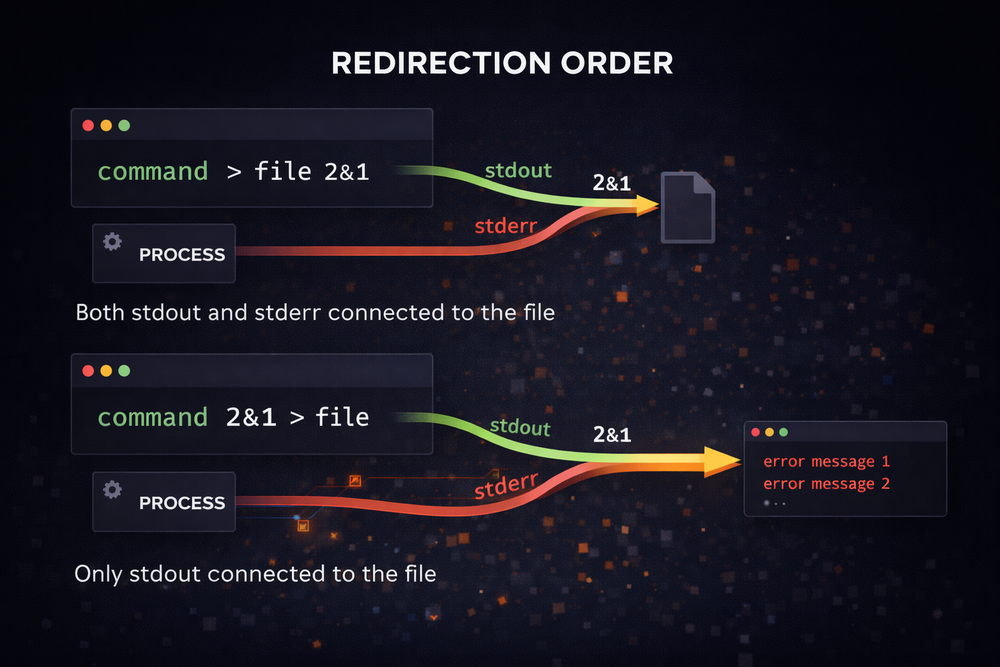
command > file 2>&1
command 2>&1 > file
Many people assume that these two lines have the same meaning, since in both cases it appears that stdout and stderr are being sent to a file. In reality, however, they produce entirely different outcomes. In the first command, stdout is redirected to the file first, and then stderr follows whatever destination stdout is pointing to. As a result, both outputs are written to the file.
In contrast, the second command is processed in a completely different order. First, stderr is redirected to wherever stdout is currently pointing. At that moment, stdout is still directed to the terminal, so stderr is also connected to the terminal. Only after that is stdout redirected to the file. As a result, stdout goes to the file, while stderr remains on the terminal.
This difference is directly tied to how the shell processes redirection. The shell does not interpret all redirections at once—it applies them sequentially from left to right. Therefore, the order of the redirection itself becomes a step-by-step transformation of the file descriptor table.
Understanding this makes it clear that shell redirection is not just simple syntax. It is essentially a set of instructions that reconfigure the file descriptor structure just before a process starts. The shell parses the redirection expressions, performs the necessary dup or dup2 system calls, and modifies the file descriptor table. Only then does it launch the new process.
This process reveals the internal structure of Unix hidden behind what appears to be simple shell syntax. The short redirection commands we type into the terminal are, in fact, interfaces that directly control file descriptor manipulation at the kernel level.
Once you understand this structure, it becomes clear why the expression 2>&1 is written the way it is. It is not just syntax for specifying output paths—it is a direct reflection of the Unix file descriptor model itself.
A Design That Has Lived On for 50 Years
The separation of stdout and stderr is a design that originated in Unix in the 1970s. At the time, Unix was closer to a research system, and few could have predicted that it would become a platform used across billions of systems today. Nevertheless, this small design choice has remained largely unchanged for decades.
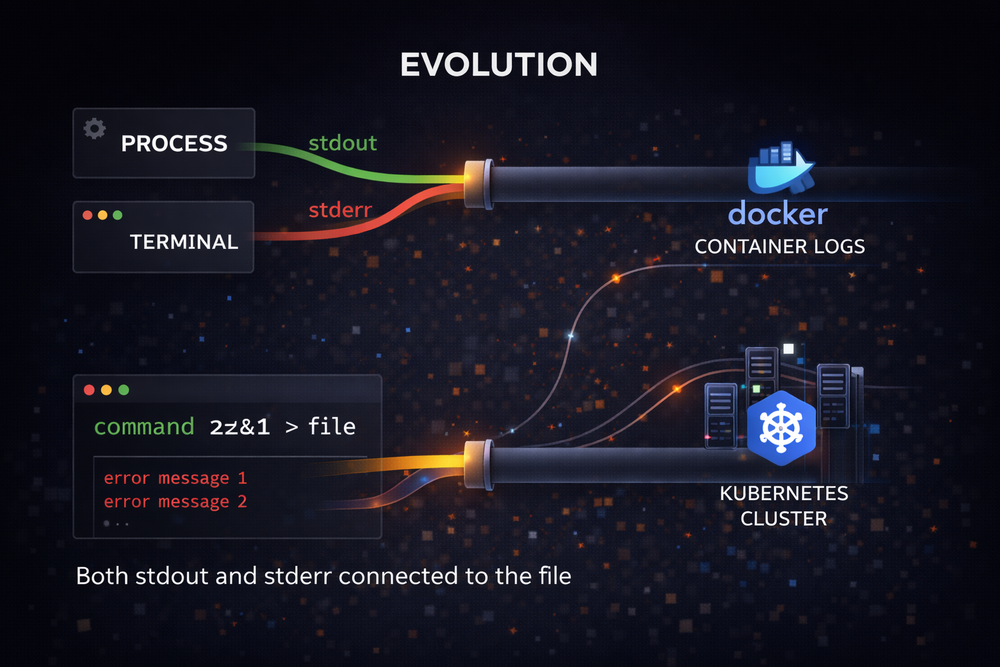
If you take even a brief look at modern systems, it is easy to see how deeply this structure is embedded. Consider Docker containers, for example. When Docker collects container logs, it fundamentally relies on two streams: stdout and stderr. Output written to stdout by programs inside the container is treated as general logs, while output sent to stderr is classified as error logs.
This structure is preserved in orchestration systems like Kubernetes as well. When Kubernetes collects container logs, it stores stdout and stderr as separate streams. Users can choose to view them together or analyze them independently. The same approach is used in CI systems and log aggregation platforms.
Looking at these examples, one interesting fact becomes clear: the simple I/O model designed in Unix is still being used in modern cloud infrastructure. The separation of stdout and stderr is no longer just a console output feature—it has become a fundamental unit in system logging architecture.
This highlights an important characteristic of Unix design. Instead of building a system with massive, complex features from the beginning, Unix chose a simple and general model. All input and output were handled through the abstraction of file descriptors, and programs were designed to connect freely on top of that foundation.
As a result, Unix was able to expand naturally into environments that were never originally anticipated. Even in modern technologies such as containers, cloud platforms, and distributed systems, the Unix I/O model remains valid. A small design created decades ago is still alive and functioning within today’s new technological landscape.
The Unix Philosophy Embedded in a Small Line
Now let’s return to the original question. The expression 2>&1 that we commonly use is not just a simple shell trick. It is closer to an example that reveals a small slice of Unix design philosophy.
From the beginning, the Unix system chose very simple abstractions rather than building complex interfaces. Programs read and write data through file descriptors. Output is divided into two streams: stdout and stderr. Programs are connected to each other through pipes. This structure is remarkably simple, yet at the same time extremely powerful.
The expression 2>&1 emerges on top of this structure. Because there is a separate output stream called stderr, there must also be a way to merge the two streams again when needed. The shell provides syntax that directly manipulates file descriptors for this purpose. As a result, with a single simple command, we can freely reconfigure the input/output structure of a program.
From this perspective, the shell is not just a tool for executing commands. It can be seen as a language for constructing the I/O structure of processes. The redirection expressions we write are essentially instructions that modify the file descriptor table before a program is executed.
At first, this structure may feel somewhat unfamiliar. Handling file descriptors as numbers may not seem intuitive. However, this simple model is what made Unix such a flexible system. Programs can be connected without knowing about each other, and users can combine small tools to create their own workflows.
The Smallest Interface That Survived Decades
The expression 2>&1 that we type into the terminal is not long. It consists of just a few numbers and symbols. Yet within that short line lies a surprisingly rich story. The concept of file descriptors, the separation of stdout and stderr, the pipeline-centered Unix philosophy, and the process I/O model are all connected to this single expression.
What is particularly interesting is that this design was created more than half a century ago. When Unix first appeared, personal computers were not yet common, and the internet looked nothing like it does today. Despite that, the I/O model chosen at the time has remained almost unchanged to this day.
Today, we run programs in containerized and cloud environments, collect logs, and operate automated systems. Yet beneath all of that, there are still the two streams: stdout and stderr. Docker logs and Kubernetes logs ultimately operate on top of these same two output channels.
This is one of the most fascinating aspects of Unix design. Unix did not try to predict the future. Instead, it created a simple and general model. And because that model was simple enough, it was able to survive naturally in new technological environments.
So sometimes, when typing a line like 2>&1 in the terminal, it leads to an interesting thought. The small interface we use is not just shell syntax—it may be a trace of a design philosophy that has endured for decades.
