
1. Definition / Conclusion
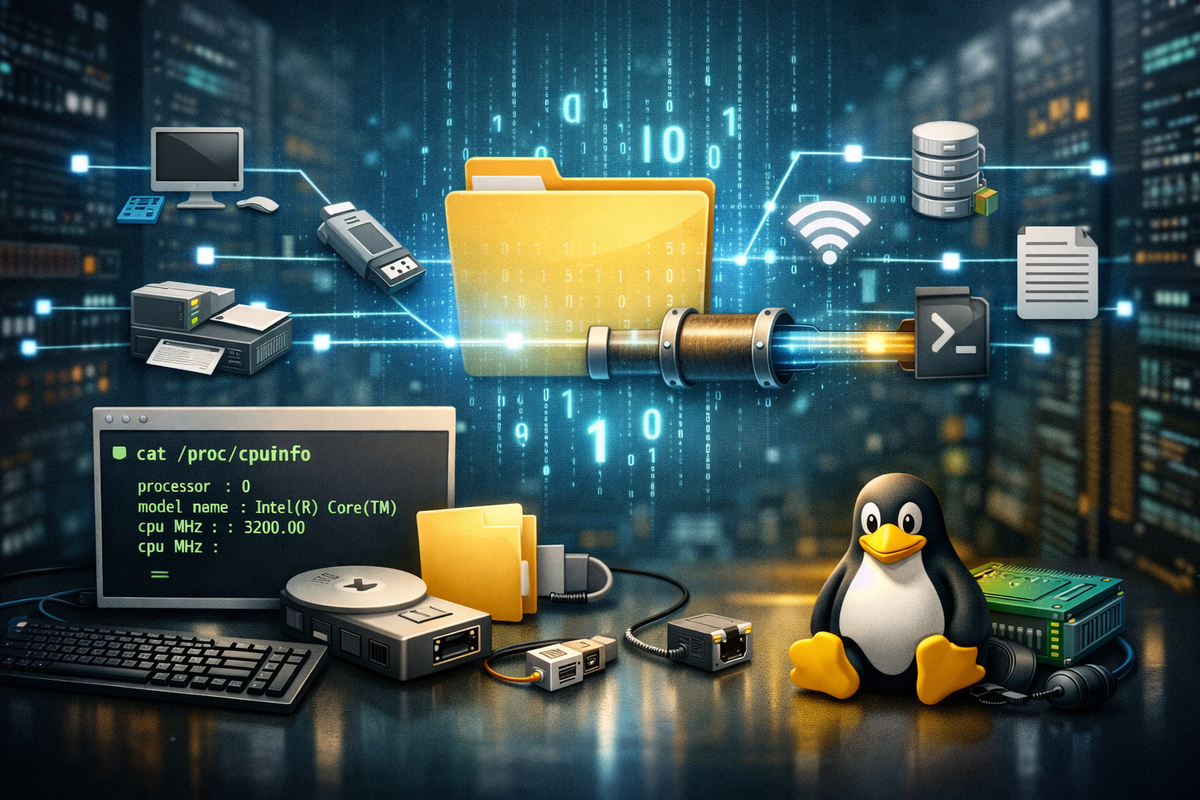
“Everything is a file” is a design principle in Linux that makes different system resources behave through a unified interface.
It does not only refer to regular disk files. It means devices, terminals, process information, pipes, and sockets are all accessed through the same read/write-oriented abstraction.
2. Key Summary
In Linux, a file does not simply mean a document stored on disk.
The core idea is whether something can be accessed in a unified way, not what the underlying resource actually is.
Because of this, files, devices, standard I/O, and kernel data become part of one continuous flow, enabling redirection and pipes naturally.
3. Why It Matters
Operating systems must handle fundamentally different types of resources. Disk data resides in storage devices, keyboards are input devices, displays are output devices, networks are communication channels, and kernel state lives in memory structures. If each of these were handled through completely different rules, programs would need to understand separate APIs and edge cases for each type. As the system grows, complexity would grow alongside it.
The limitation of traditional separation appears here. If files are opened and read one way, devices accessed another way, process information retrieved through dedicated commands, and output handled via separate mechanisms, then composing tools becomes difficult. Passing the result of one program to another would require special-case handling every time. Even if the operating system provides rich features, consistency from the user and program perspective breaks down.
Linux resolves this through unified abstraction. Internally, implementations differ, but externally, resources are exposed through the file descriptor model as much as possible. Some resources are actual disk files, some are device files, and others are dynamically generated by the kernel. Yet from the user’s perspective, all are accessed through the same operations: read, write, and connect. This design allows small tools to connect seamlessly and keeps the system interaction model simple.
The practical impact is clear. Output can be saved to a file or redirected to standard output. Errors can be separated from normal results. Device data and kernel state can be inspected as if they were text files. Pipelines can connect commands directly. These are not convenience features but outcomes of a system designed around a consistent interface.
4. Examples
Example 1. Writing to a regular file
echo "hello" > hello.txt
cat hello.txt
The result is that hello is written into hello.txt, and reading it with cat prints the same string.
This is the most familiar file usage pattern. Data is written to a disk file and then read back.
However, the Linux philosophy extends beyond this. The same > operator is used not only for regular files but also for devices and output redirection.
In practice, this is used when saving batch outputs or writing script execution results into log files. The key point is that this syntax is not limited to disk files.
Example 2. Writing to /dev/null
echo "hello" > /dev/null
The result is no visible output, and the data is not stored anywhere.
/dev/null is a special device that discards data. It is not a regular file, yet the shell treats it as one.
The > operator redirects output to it in exactly the same way as with a normal file.
This shows that devices are integrated into the same interface model as files.
In practice, it is used to suppress unnecessary output. For example, in scheduled jobs, normal output can be discarded while errors are handled separately.
Example 3. Reading system information from /proc
cat /proc/cpuinfo
The result is CPU information such as model, cores, and clock speed displayed as text.
The key point is that /proc/cpuinfo is not a real disk file. It is a virtual file generated by the kernel at read time.
Despite this, it can be accessed using the cat command, just like a regular file.
This demonstrates that what matters is not whether something is a physical file, but whether it can be accessed through the file interface.
In practice, system state is inspected through /proc and /sys, often combined with tools like grep, awk, and cut.
Example 4. Connecting standard output with a pipe
ls -l | grep ".log"
The result is that only lines containing .log from the ls -l output are displayed.
ls does not produce a file on disk. It simply writes text to standard output.grep then reads that output as input.
This works because both standard output and standard input are treated as file-like streams. The shell creates a pipe and connects one process’s stdout to another’s stdin.
In practice, this forms the basis of log analysis, filtering, and command pipelines.
Example 5. Separating error output
ls /not-exists 1>out.txt 2>err.txt
The result is that normal output goes to out.txt, while error messages go to err.txt.
Here, 1 represents stdout and 2 represents stderr. Both are file descriptors.
Even though these outputs appear on the screen, internally they are handled as file-like streams.
In practice, this is used to separate successful results from error logs in batch jobs.
5. Practical Usage
1) Separating batch logs
The situation is batch or scheduled jobs. Results must be recorded, but mixing normal messages with error messages slows down debugging.
The problem is that without separating stdout and stderr, identifying failure messages becomes difficult.
The solution is to redirect stdout and stderr into separate files.
The effect is faster troubleshooting. Output streams are treated like files, enabling separation without additional logging frameworks.
2) Sending container logs to stdout
The situation is a Docker or Kubernetes environment. Writing logs to local files inside containers ties log management to the container lifecycle.
The problem is that containers are ephemeral and replaceable. File-based logs become unstable.
The solution is to emit logs to stdout/stderr and let the runtime or logging system collect them.
The effect is standardized log handling. stdout is not just screen output but a connectable stream.
3) Automated system inspection
The situation is writing scripts for server diagnostics. CPU, memory, and process states must be collected.
The problem is that if system information is only accessible through specialized interfaces, automation becomes harder.
The solution is to read from /proc or /sys and process the data with text tools.
The effect is simpler automation because system data is exposed as file-like structures.
4) Composing small tools
The situation is analyzing large logs or text data.
The problem is that writing custom programs for simple filtering tasks increases complexity.
The solution is to connect tools like cat, grep, sort, uniq, and wc using pipes.
The effect is reduced development overhead. Outputs and inputs align through the same interface.
6. Common Mistakes
Mistake 1. Assuming everything is a real disk file
The incorrect assumption is that /proc and /dev entries are actual stored files.
The result is misunderstanding system behavior. /proc is virtual, and /dev/null is a device.
The cause is interpreting “file” as storage rather than interface.
The correct understanding is that many resources are exposed as files, not that they are literal files.
Mistake 2. Thinking pipes create intermediate files
The incorrect assumption is that ls | grep creates a temporary file.
The result is misunderstanding performance and behavior.
The cause is ignoring that stdout and stdin are file descriptors.
The correct understanding is that pipes directly connect streams between processes.
Mistake 3. Treating stdout and stderr as identical
The incorrect assumption is that all output is the same because it appears on the screen.
The result is unexpected behavior when redirecting output.
The cause is overlooking separate file descriptors.
The correct understanding is that stdout and stderr are structurally independent channels.
Mistake 4. Using /dev/null without intent
The incorrect usage is blindly appending >/dev/null 2>&1.
The result is loss of critical error messages.
The cause is treating /dev/null as a silencing trick rather than a discard device.
The correct approach is to decide explicitly what to discard and what to keep.
Mistake 5. Interpreting the principle as absolute
The incorrect assumption is that all Linux resources behave identically under the file model.
The result is confusion when encountering sockets, epoll, or ioctl.
The cause is taking the phrase literally instead of as a guiding principle.
The correct understanding is that Linux prioritizes file-based abstraction but still includes extensions.
Mistake 6. Assuming identical risk across file types
The incorrect assumption is that device files are as safe as text files.
The result can be permission errors or system-level impact.
The cause is ignoring the underlying resource differences.
The correct understanding is that similar interfaces do not imply identical consequences.
7. Related Concepts
File Descriptor is an integer handle representing open files or streams. Standard input is 0, output is 1, and error is 2.
Redirection changes where standard streams point, allowing them to be connected to files or other streams.
Pipe connects one process’s output to another’s input without creating intermediate files.
Virtual File System exposes kernel data and device information as file-like structures.
8. Deep Dive
Internally, this principle is built on the Virtual File System (VFS) and the file descriptor model. The Linux kernel manages multiple file systems—real ones like ext4, and virtual ones like procfs—under a unified abstraction. From the user’s perspective, operations like open, read, write, and close remain consistent, even though the backend implementations differ.
The structural reason is complexity control. Disk files, terminals, pipes, and devices all operate differently at the kernel level. Without abstraction, each would require a separate interface. Linux hides these differences and exposes a consistent model, allowing users to interact with diverse resources through a shared mechanism.
From a system perspective, this design enables composability. Programs do not need to be monolithic. One program reads, another filters, another aggregates. The cost of connecting them is low because they all operate through the same file descriptor-based streams. This is why Unix-like systems emphasize chaining small tools together.
However, this principle is not absolute. Modern systems include mechanisms like epoll, signals, memory mapping, and ioctl that extend beyond simple file abstraction. The accurate interpretation is that Linux centers its design around file-like interfaces, while allowing specialized extensions where necessary.
9. Summary
“Everything is a file” does not mean everything is literally stored as a disk file.
It means diverse system resources are exposed through a unified interface.
Because of this, redirection, pipes, logging, and system inspection all operate under the same model.
Understanding file as an interface rather than a storage concept is essential to grasp the full Linux structure.
