
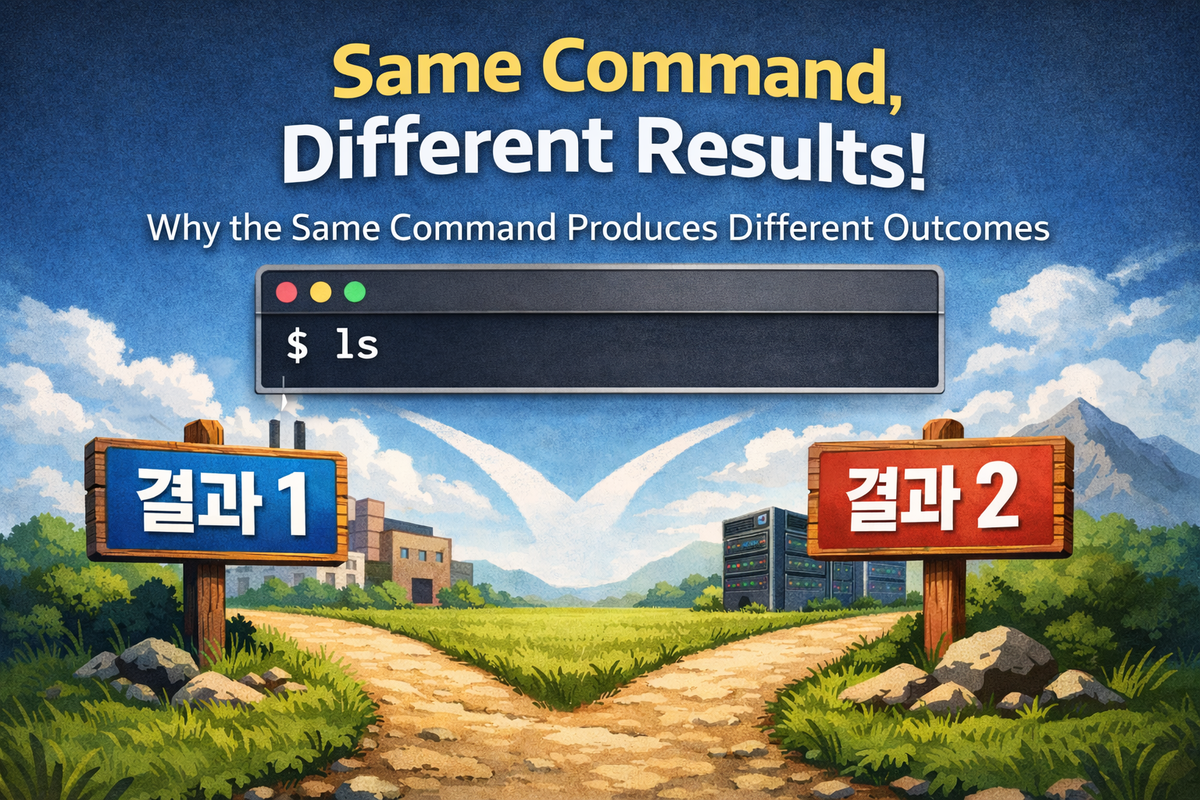
Execution results are not determined by input
In Linux, it is common for the same command to produce different results. This phenomenon is not an exception but a structural outcome. In many cases, users assume that input determines execution. However, in reality, input is only the starting condition of execution. The execution result is determined not by the input but by the system state. Without understanding this distinction, it is impossible to explain why the same command produces different results.
Input is simply a string. A string is not an executable object. The system must interpret this string and transform it into an executable structure. In this process, the input is combined with various environmental factors. The result of this combination affects both the execution target and the execution method. Therefore, the input itself does not guarantee the result. Input is merely part of the decision process.
If you verify this structure directly, it becomes clear why input-centric thinking is incorrect.
$ which python
/usr/bin/python

$ mkdir -p /tmp/testbin
$ echo -e '#!/bin/sh\necho fake python' > /tmp/testbin/python
$ chmod +x /tmp/testbin/python

$ PATH=/tmp/testbin:$PATH
$ python
fake python
In this experiment, the input is always python. However, the result is completely different. Initially, /usr/bin/python is executed. Afterward, /tmp/testbin/python is executed. The input has not changed, but the result has. This change is caused by the environmental factor called PATH.
This result reveals an important fact. The execution result is not determined by the input string, but by the environment that interprets the input. Therefore, to understand execution, one must look not at the input but at the interpretation structure. In the next step, this interpretation is explained not as a single decision, but as an accumulation of multiple choices.
Execution is not a single decision, but multiple selections
Execution appears to be a single event. However, in reality, it is the result of multiple selections occurring sequentially. Each selection is based on the result of the previous one. This structure makes execution complex. At the same time, this structure makes execution results predictable. The difficulty is not that prediction is impossible, but that the criteria are not clearly understood.
Each selection is a process of choosing one option among multiple candidates. For example, the same name may exist in multiple paths. The system selects one of them. Even if a file exists, there may be multiple ways to execute it. The system selects one of those as well. In this way, execution is not a single path but a chain of selections.
This selection structure creates confusion because it is not visible. However, parts of it can be observed.
$ type -a ls
ls is /bin/ls
ls is /usr/bin/ls
This result shows that the same name can exist in multiple locations. However, during actual execution, only one is selected. Which one is selected is determined by rules. These rules are not explicitly visible to the user. However, they directly affect the result.
Another example is alias.
$ alias ls='echo override'
$ ls
override
In this case, the same input ls produces a completely different behavior. This change occurs because the execution target has changed. This is also the result of a selection. The system selected an alias instead of a file.
The core of this structure is clear. Execution is not a “fixed path,” but a selected path. And this selection occurs in multiple stages. If the selection criteria at each stage differ, the result also differs. Therefore, to understand execution results, one must understand how selections are made. In the next step, the most important selection criterion, PATH, is analyzed.
PATH is not a search, but a “priority system”
In many explanations, PATH is described as a simple search list. However, this explanation is insufficient. PATH is not merely a mechanism for finding files. PATH is a rule for selecting one among multiple candidates. In other words, PATH is not a search, but a priority system.
PATH defines the order of directories. This order is not a simple listing. It represents selection priority. If executables with the same name exist in multiple locations, the one in the earlier directory in PATH is selected. This selection stops at the first match. Subsequent candidates are not considered.
This structure becomes clear through experimentation.
$ echo $PATH
/usr/bin:/bin

$ which ls
/usr/bin/ls

$ PATH=/bin:/usr/bin
$ which ls
/bin/ls
In this case, the input ls is the same. However, as the PATH order changes, the selection result changes. The executed file is different. This change is not just a difference in location. Different versions of the program may be executed. Therefore, the result itself may differ.
This structure makes PATH not just a configuration value, but a policy that determines execution results. Changing PATH is equivalent to changing the execution environment. Without understanding this, it is impossible to explain why execution results differ.
Additionally, PATH is not explicit. Users often do not check PATH directly. However, PATH always affects execution. Because of this hidden influence, execution results appear difficult to predict. In reality, they are not unpredictable—the criteria are simply hidden.
At this point, a structure becomes visible. The input is fixed. However, if the selection criteria change, the result changes. This selection does not end at the file path level. In the next step, how the selected file is actually interpreted will be examined.
A file is not an execution target, but an interpretation target
Even if a specific file path is selected through PATH, execution is not yet determined. What is obtained at this point is simply a file. However, not all files are executed in the same way. The system must determine again how this file should be processed. In other words, a file is not an execution target, but an interpretation target.
Files are handled differently depending on their form. Most notably, binaries and scripts follow completely different paths. A binary is a format that the system can execute directly. In contrast, a script is just text. Text itself cannot be executed. Therefore, additional interpretation is required for execution. This difference fundamentally changes the execution method.
This distinction becomes evident when examining the internal structure of the file.
$ file /bin/ls
/bin/ls: ELF 64-bit LSB executable

$ echo -e '#!/bin/sh\necho hello' > test.sh
$ chmod +x test.sh

$ file test.sh
test.sh: POSIX shell script, ASCII text executable
In the above result, /bin/ls is in ELF format. This format can be directly understood by the kernel. In contrast, test.sh is a text file. Although it is marked as executable, it is not actual executable code. Therefore, the system does not execute this file directly.
This difference directly affects execution results. Even with the same execution permission, the processing method differs. A binary is executed directly. A script is executed through another program. In other words, the execution target is not the file itself, but the interpreted result of the file.
This structure reveals an important fact. Execution is not “executing a file.” Execution is “executing the result of interpreting a file.” Therefore, what the file is matters less than how it is interpreted. In the next step, the structure that enforces this interpretation, the shebang, is analyzed.
Shebang changes the execution subject
A script file can be executed because of the shebang. However, the shebang is not just syntax. It is a rule that redefines the execution target. In other words, instead of executing the file itself, it is a mechanism that causes another program to be executed.
The shebang is located on the first line of the file. This line, which starts with #!, specifies the interpreter path. Based on this information, the system determines the execution method again. In this process, the original execution target is not preserved. Instead, a new execution target is selected. That is, the execution subject changes.
This structure becomes clear through experimentation.
$ echo -e '#!/bin/sh\necho shell' > test.sh
$ chmod +x test.sh
$ ./test.sh
shell
This file appears to be executed directly. However, in reality, /bin/sh is executed. test.sh is not the execution target but is passed as input.
To make this distinction clearer, if you change the shebang, the result also changes.
$ echo -e '#!/bin/echo\nhello world' > test.sh
$ chmod +x test.sh
$ ./test.sh
./test.sh
Here, echo is executed. And test.sh is passed as an argument. In other words, the content of the file is not executed. What is executed is echo. The shebang completely changes the execution subject.
This structure shows that execution is not fixed but reinterpretable. Even with the same file, different shebangs produce completely different results. Therefore, the execution target is not the file path, but the reinterpreted execution structure.
At this stage, an important conclusion emerges. Execution is not determined once. Execution is redefined multiple times. And these redefinitions change the result. In the next step, we analyze how this reinterpreted execution is applied on top of the existing state.
Execution does not start from scratch — it changes on top of an existing state
In many explanations, program execution is described as “a new process starts.” However, this expression hides an important structure. In reality, execution always occurs on top of an existing state. In other words, execution is not creation but a state transformation. Without understanding this distinction, it is impossible to explain post-execution behavior.
Before execution, an execution context already exists. This context includes the current running state. A new execution does not completely discard this state. Some parts are preserved, and only certain parts are changed. In particular, the state managed by the kernel is preserved. Representative examples include file descriptors and environment variables.
This structure can be verified through a simple experiment.
$ echo -e '#include <unistd.h>\nint main(){write(1,"hello\n",6);}' > test.c
$ gcc test.c -o test

$ ./test > out.txt
$ cat out.txt
hello
Here, the test program sends data to standard output. However, the actual output is saved to a file. This happens because the output structure configured before execution is preserved. The program is unaware of this. But the result changes.
This phenomenon reveals an important fact. Execution is not completely determined by the code. The execution result is influenced by the pre-existing state. Even if the code is the same, different states produce different results.
This structure also shows that execution is not something that “starts completely anew.” Execution is a process in which new code is applied on top of an existing context. Because of this, structures defined in earlier stages are preserved as they are.
In conclusion, execution is not an isolated event. Execution is a transformation based on an existing state. This transformation preserves elements determined in previous stages. Therefore, to understand execution results, one must consider not only the code but also the state.
The input/output structure distorts execution results
It is easy to think that a program’s result is determined by its code. However, in reality, even the output result is not determined by code alone. A program merely sends data to specific file descriptors. Where those descriptors point to is already determined before execution. Therefore, even with identical code, different input/output structures produce different results.
File descriptors are handles represented as numbers. Standard input is 0. Standard output is 1. Standard error is 2. These descriptors point to specific resources. By default, they point to the terminal. However, this connection is not fixed. It can be changed to another resource before execution. This change is redirection.
This structure can be verified through a simple experiment.
$ echo hello
hello

$ echo hello > out.txt
$ cat out.txt
hello
The first command outputs to the terminal. The second command outputs to a file. The code itself is identical. echo sends data to standard output in the same way. However, the results appear completely different. This difference occurs because the output target has changed.
This structure works the same way even in more complex forms.
$ ls /notfound > out.txt 2>&1
$ cat out.txt
ls: cannot access '/notfound': No such file or directory
Here, even the error output is redirected to the file. 2>&1 connects standard error to the same destination as standard output. This connection is also determined before execution. The program does not recognize this. However, the result changes completely.
This structure reveals an important fact. Execution results are not the result of code alone. Execution results are the combined result of code and the input/output structure. Therefore, if the output appears differently than expected, you must first examine the structure, not the code. In the next step, we examine environment variables, which modify this structure more subtly.
Environment variables change execution invisibly
Environment variables are not explicitly visible during execution. However, they continuously affect execution results. In particular, many programs change their behavior based on environment variables. This change occurs without modifying the code. Therefore, environment variables are elements that change execution results “invisibly.”
Environment variables are not just configuration values. They are part of the execution context. When a program starts, it receives environment variables. It then determines its behavior based on these values. This process is difficult to observe from the outside. However, it directly affects the result.
This structure can be verified through a simple experiment.
$ echo 'echo $MY_VAR' > test.sh
$ chmod +x test.sh

$ ./test.sh

$ MY_VAR=hello ./test.sh
hello
In the first execution, nothing is printed. In the second execution, hello is printed. The input is the same. The file is also the same. However, the result is different. This difference is caused by the environment variable.
Environment variables also affect the selection of the execution target. PATH is also an environment variable. Therefore, environment variables change both the execution target and the execution result simultaneously. This influence occurs outside the code. Therefore, it is impossible to predict execution results based on code alone.
Additionally, environment variables can be applied globally. They are defined by shell configuration files or system settings. In this case, users may not be aware of the environment in which they are executing. This hidden state changes execution results.
In conclusion, execution cannot be explained by code and input alone. Execution is determined by the entire state, including the environment. Because this state is not visible, execution results appear unstable. In the next step, we analyze how these differences manifest as errors.
Execution failure is not random, but a “decision failure”
Execution failures often appear unpredictable. The same command works in one environment but fails in another. This phenomenon appears random. However, in reality, it is the result of a failure at a specific stage of decision-making. Execution is a chain of multiple selections. Failure occurs at a particular point within this chain.
The most common failure occurs at the stage of selecting the execution target.
$ unknown_command
bash: unknown_command: command not found
In this case, the system failed to find an execution target. This is not an input problem, but a selection rule problem. The name does not exist in PATH. Therefore, execution does not start.
Next, failure can occur at the stage of determining the execution method.
$ echo 'echo hello' > test.sh
$ chmod +x test.sh
$ ./test.sh
bash: ./test.sh: cannot execute: Exec format error
In this case, the file exists and has execution permission. However, the execution method is not defined. This is because there is no shebang. The system cannot determine how to execute this file. Therefore, execution fails.
Another failure occurs due to permission issues.
$ chmod -x test.sh
$ ./test.sh
bash: ./test.sh: Permission denied
In this case, both the execution target and execution method are determined. However, the execution conditions are not satisfied. Therefore, execution is blocked.
All of these failures share a common characteristic. It is not that execution itself has failed. One of the decision processes has failed. Therefore, to understand execution failure, you must identify which stage of the decision process failed.
Once this structure is understood, execution problems are no longer ambiguous. Each stage has a clear role. Failures correspond to those roles. Therefore, problems can be analyzed step by step. This perspective turns execution into a debuggable structure.
Execution is not code execution, but the “result of a decision structure”
When all the previous content is synthesized, it converges into a single conclusion. Execution is not an event where code is executed. Execution is the result of code being applied on top of an already determined structure. In other words, the essence of execution is not code, but the decision structure. Without this perspective, it is impossible to explain execution results consistently.
In general, execution is understood as “running a program.” This expression is simple, but it omits important elements. Before execution, multiple stages of selection have already taken place. The execution target is selected. The execution method is determined. The execution subject is redefined. The execution context is constructed. The input/output structure is established. Only after all these processes are completed is the code applied. Therefore, code execution is merely the final step.
To verify this structure experimentally, you only need to keep the code the same and change the execution environment.
$ echo -e '#include <stdio.h>\nint main(){printf("hello\n");}' > test.c
$ gcc test.c -o test

$ ./test
hello

$ ./test > out.txt
$ cat out.txt
hello
In both cases, the same code is executed. However, the form of the result is different. The first outputs to the terminal. The second is saved to a file. There is no difference in the code. The input is also the same. The reason the results differ is that the execution structure is different. This difference was already determined before execution.
This structure changes the frame of reference for viewing execution. To understand execution results, analyzing code alone is not sufficient. You must examine what selections were made before execution. You must check what PATH is. You must check how environment variables are configured. You must check how the input/output structure is connected. All of these elements combine to produce the result.
This perspective also extends to the entire system. Service execution, container execution, and pipeline composition follow the same structure. The execution target is defined. The execution environment is constructed. The execution structure is established. Then the code is applied. In other words, execution is not a problem of an individual program, but a pattern repeated across the entire system.
The core of this pattern is consistency. Regardless of the input, it is interpreted and decided in the same way. Only the values selected at each stage differ. Because of this, execution is predictable. The reason it appears difficult to predict is that the structure is complex. Once the structure is understood, the result becomes explainable.
In conclusion, execution is no longer “the act of running a program.” Execution is the final result of a decision structure based on state. From this perspective, execution is no longer a black box. Each stage has a clear role. The choices at each stage are directly reflected in the result. Once this connection is understood, execution results can be predicted even in new environments.
