
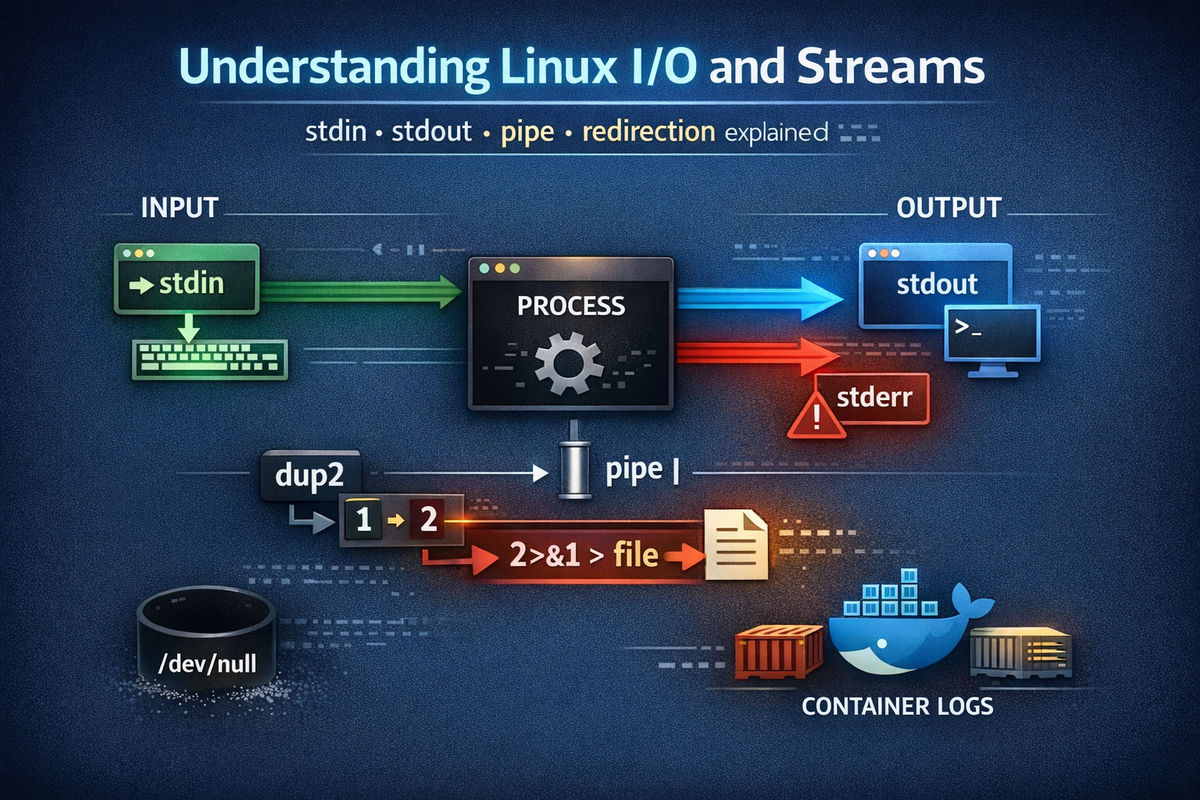
Where Does Data Flow in Linux — The Starting Point We Misunderstand
Many developers use Linux routinely, executing commands, checking outputs, and redirecting results to files when needed. This process becomes so familiar that it no longer raises questions, but that very familiarity is where the problem begins. Most people understand concepts like stdout, stderr, pipe, and redirection individually, yet fail to grasp how they connect into a single coherent flow. As a result, when logs behave unexpectedly, pipelines break, or syntax like 2>&1 becomes confusing, the system suddenly feels as if it is “behaving strangely.” In reality, nothing is wrong with the system; the issue lies in our lack of structural understanding.
This problem becomes even more apparent in real-world environments. When logs disappear in batch jobs or when containerized systems output logs only through streams instead of files, isolated command knowledge is no longer sufficient to explain what is happening. At that point, people tend to attribute the issue to environmental differences or tooling inconsistencies. However, these are all manifestations of the same underlying Linux I/O structure. The real issue is a cognitive gap caused by fragmented understanding. This article is written to close that gap. The goal is not to explain each concept more deeply, but to reconnect the concepts you already know into a unified flow.
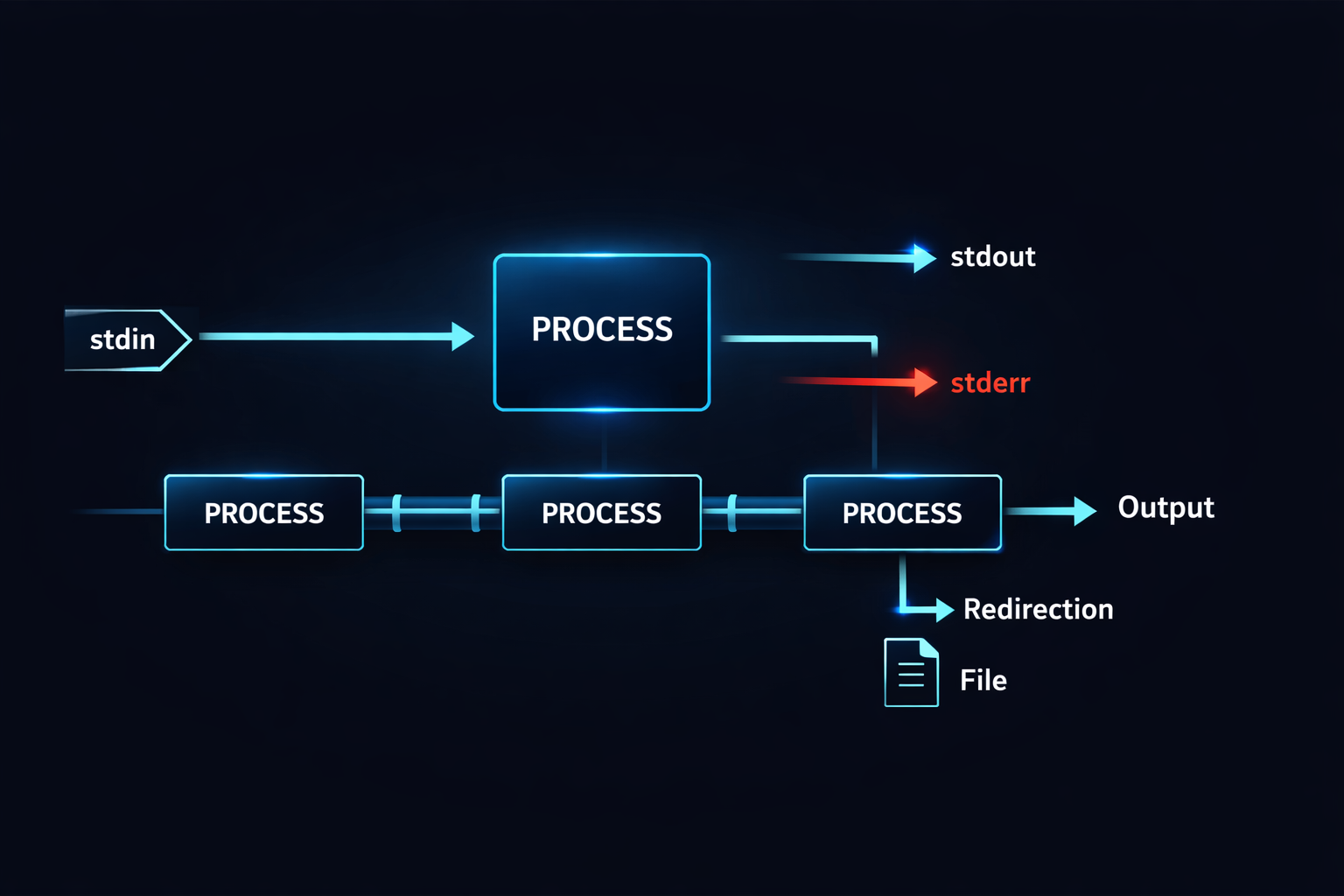
From this point onward, these concepts should no longer be seen as isolated pieces but as parts of a single system. Without understanding this flow, everything that follows remains fragmented knowledge. On the other hand, once this flow becomes clear, the previously disconnected concepts begin to align, and the way Linux operates becomes significantly simpler. This article aims to create that turning point.
The Essence of Linux Programs — A Simple Yet Critical Structure of Input, Processing, and Output
Every program running on Linux may appear complex on the surface, but at its core, it follows a very simple structure. It receives input, processes it, and produces output. This model is so fundamental that it is often overlooked, yet nearly all behaviors in Linux are built upon it. A program is not a function that returns a value; rather, it is an entity that consumes data through streams and emits data through streams. When viewed from this perspective, command execution itself becomes part of a continuous data flow.
At the center of this structure are three essential concepts: stdin, stdout, and stderr. stdin is the channel through which a program receives input, stdout is where normal output is sent, and stderr is reserved for errors and exceptional conditions. While these may seem like simple definitions, they form the foundation of all I/O mechanisms that follow. For instance, when a program reads from a file, that file is effectively connected to stdin. When output appears on the screen, it is flowing through stdout. Understanding this structure clarifies where data enters and exits a program.
At this point, a critical shift in perspective occurs. Many developers tend to view programs as isolated units that take input and return output, similar to functions. However, in Linux, programs are designed as composable units of data processing. The output of one program can become the input of another. This concept naturally leads into the idea of pipes, which will be explored in the next section. Without this understanding, pipes appear as mere syntax. With it, they become a powerful mechanism for combining programs into flexible workflows.
▶ For a deeper understanding of stdout/stderr redirection structures: Understanding Linux I/O Streams — stdin, stdout, stderr, and Redirection
Ultimately, the key takeaway from this section is not the definitions themselves but the shift in perspective. Programs should be seen not as isolated execution units but as components within a continuous data flow. Once this perspective is established, all subsequent concepts begin to connect naturally.
Everything Is a Stream — A Unified Model of Files, Terminals, and Pipes
Linux is often described with the phrase “Everything is a file,” but a more accurate expression would be “Everything is a stream.” Files, terminals, networks, and pipes all share a common mechanism for reading and writing data. This is not just a philosophical statement; it is a fundamental principle of system design. From the perspective of a program, it does not matter whether the input comes from a file, keyboard input, or the output of another program. All inputs are handled through the same interface and processed in the same way.
This unified model is powerful because it allows different types of data sources to be connected seamlessly. Data can be read from a file and passed into a program, or the output of one program can be directly used as the input of another. From the program’s perspective, the origin of the data is irrelevant. It simply reads from a stream and processes the data. This abstraction enables a highly flexible data processing architecture within Linux.
Understanding this concept makes it much easier to grasp why pipes and redirection exist. A pipe connects the stdout of one program to the stdin of another, while redirection changes the destination of a stream. Both are extensions built on top of the same underlying stream abstraction. Without recognizing this shared foundation, these features may appear unrelated. However, once the concept of streams is internalized, Linux I/O reveals itself as a consistent and unified system rather than a collection of separate features.
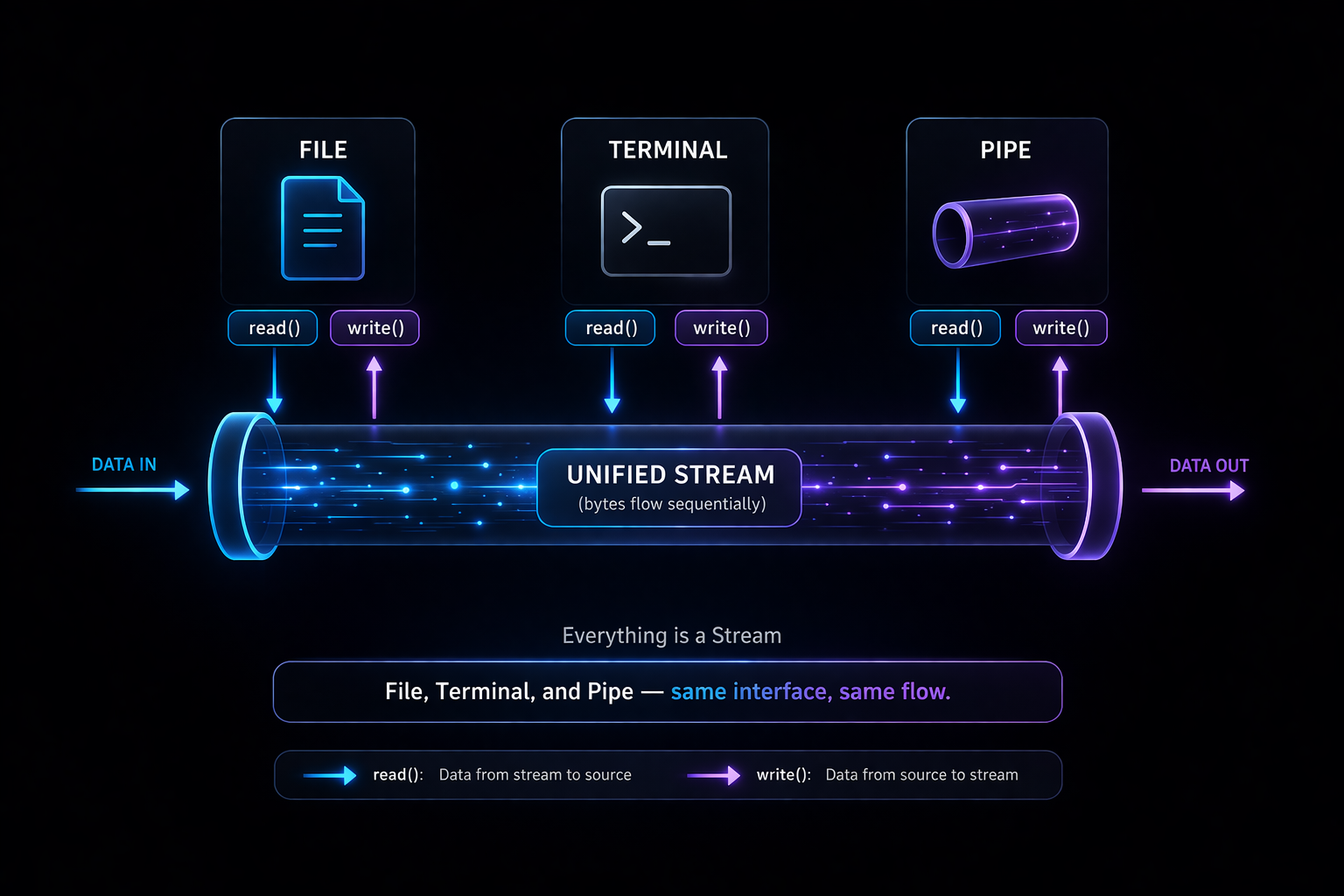
With this understanding, the groundwork is complete. We have defined what input and output are and established that they operate within a unified stream model. The next step is to examine how these streams are actually connected and utilized in practice, beginning with pipes as the mechanism that links programs together.
Connecting Programs with Pipe — The Moment Linux Becomes Powerful
The moment you accept the concept of streams, one of the most powerful features in Linux naturally emerges: the pipe. A pipe is not merely syntax where you place | between commands, but a mechanism that allows data produced by one program to flow directly into another program. This connection is not just a convenience feature; it is the core mechanism that turns programs into composable units. In other words, programs in Linux are not designed to run in isolation, but as components that can be chained together. Once you understand this perspective, Linux commands stop looking like individual tools and start looking like building blocks that can be combined.
The essence of a pipe is extremely simple. The stdout of one program is connected to the stdin of another program. Yet this simplicity is exactly what makes it powerful. For example, commands like grep, sort, and uniq may appear limited when used individually, but when connected with pipes, they form a data processing pipeline. In this structure, each program does not need to know where its input comes from—whether it is a file, a terminal, or another program. It simply processes the incoming stream and produces an output stream. This design is why Linux naturally encourages the composition of small, focused programs to perform complex tasks.
▶ To understand how pipe works with real examples: What Is a Pipe (|)? A Clear Guide to the Linux Pipe Concept
▶ Analysis of why the grep | sort | uniq combination is powerful: Why grep, sort, and uniq Are Piped Together — The Core Pattern for Log Analysis
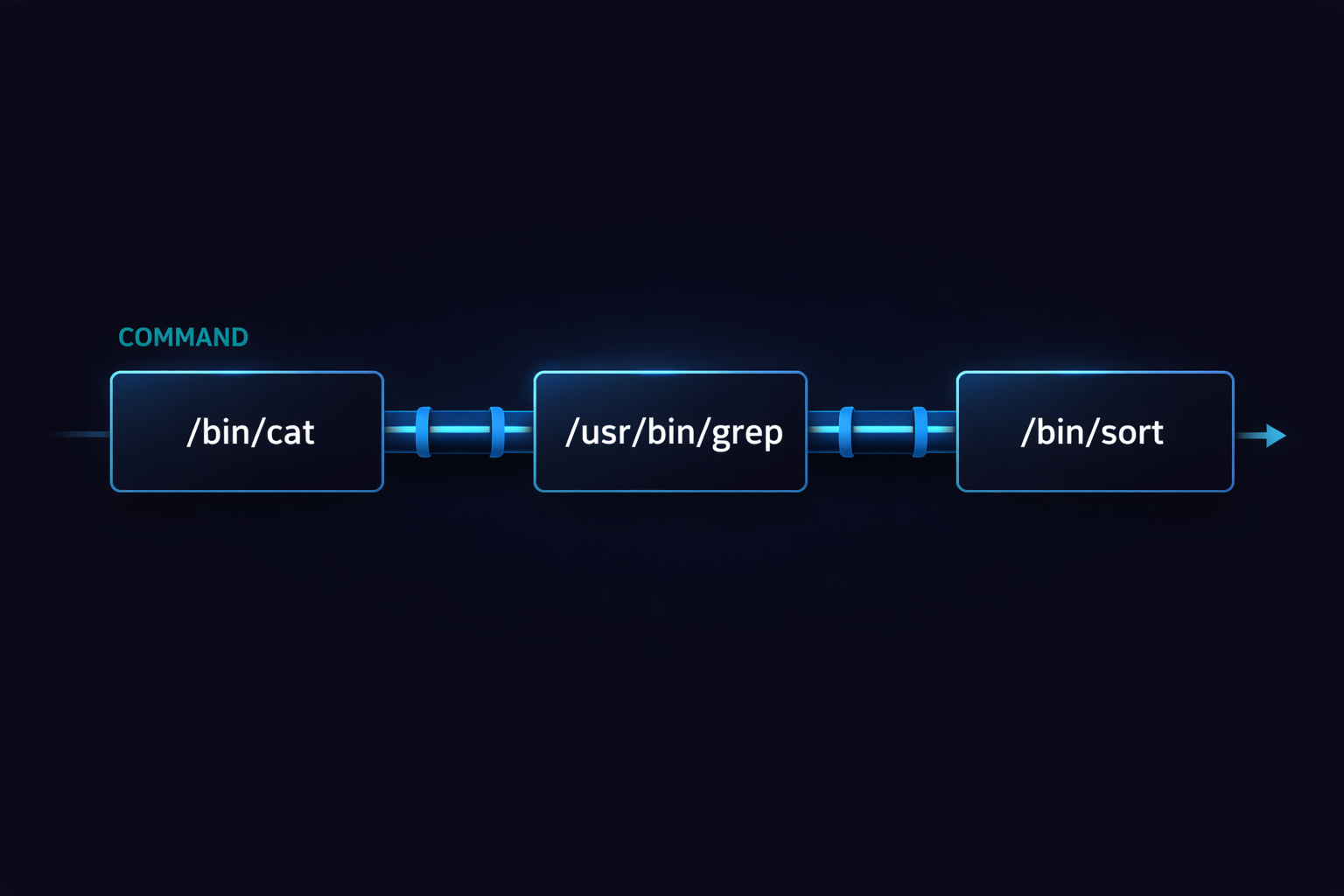
Understanding pipe leads to a critical shift in perception. A program is no longer seen as a single execution unit that takes input and produces output, but as a processing node operating within a data flow. In this structure, the connection between programs becomes more important than the programs themselves. And at this exact point, another concept becomes necessary. Connecting data alone is not sufficient. There are situations where you need to redirect the flow, separate specific outputs, or send them to different destinations. That role is handled by redirection.
Redirection That Changes the Direction of Flow — Output Is Not Fixed
If pipe connects programs together, redirection controls the direction of data flow. Many developers think of redirection simply as a way to save output to a file, but in reality, it plays a much more fundamental role. Redirection changes the destination of a stream. This means that the output generated by a program does not have to go to the terminal; it can go to a file, another device, or even be discarded entirely. Once you understand this concept, the idea of output itself becomes far more flexible.
For instance, the > operator changes the destination of stdout to a file, while 2> changes the destination of stderr. The key point here is that the output itself does not change. The program still produces the same data, but where that data flows is determined by redirection. In other words, the program’s logic and the direction of data flow are separated. This separation is at the heart of the Linux I/O model. While pipe connects flows, redirection reshapes where those flows go.
▶ To deeply understand stdout/stderr and redirection: Understanding Linux I/O Streams — stdin, stdout, stderr, and Redirection
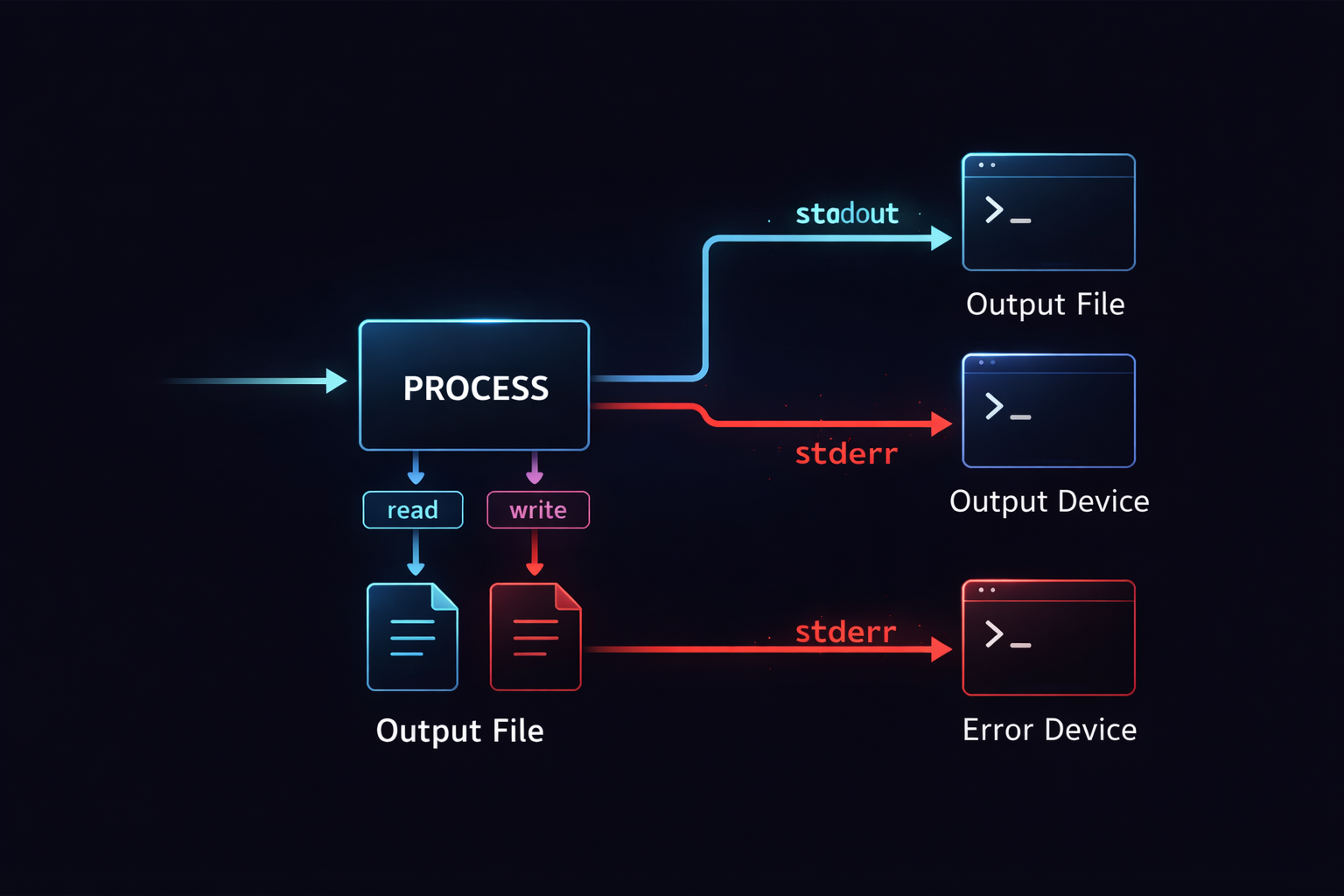
At this point, another important concept naturally emerges. In real-world scenarios, it is often necessary to merge stdout and stderr, especially when handling logs and errors together. This is where the syntax 2>&1 appears. Many people memorize this syntax without truly understanding it, which leads to unexpected behavior. To fully grasp this, we need to look beyond the surface and examine the underlying structure.
The True Meaning of 2>&1 — It Is Not Syntax, but Structure
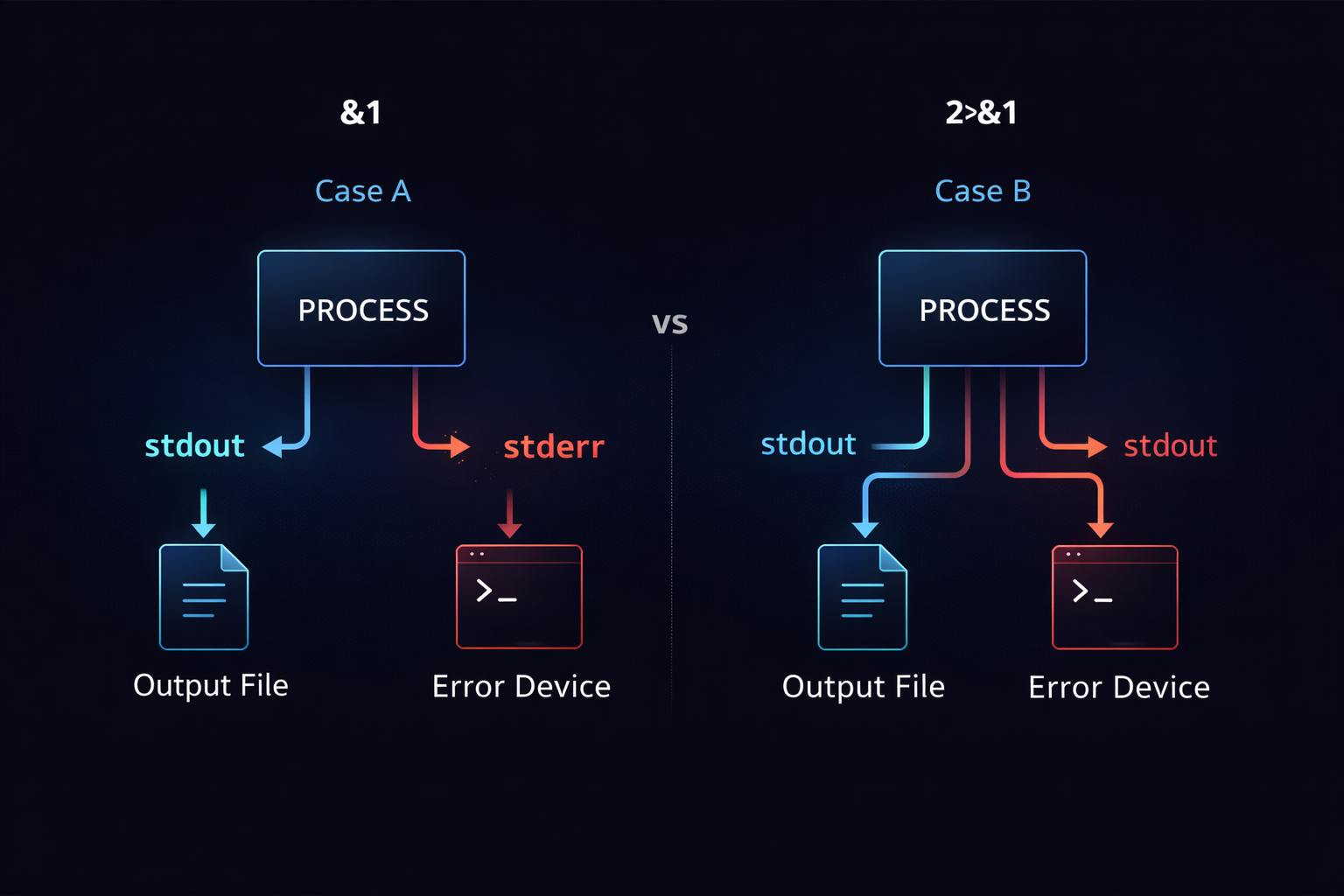
2>&1 is one of the most frequently used yet most misunderstood constructs in Linux. At a glance, it looks like a simple combination of symbols, but in reality, it represents manipulation of relationships between file descriptors. Here, 2 refers to stderr, 1 refers to stdout, and >& indicates that one file descriptor should be redirected to another. In essence, 2>&1 means “send stderr to the same destination as stdout.” However, this explanation alone is insufficient, because this operation is not a simple value copy—it establishes a reference relationship.
This distinction becomes critical when considering execution order. For example, command > file 2>&1 and command 2>&1 > file produce completely different results. In the first case, stdout is redirected to the file first, and then stderr follows that redirected stdout. In the second case, stderr follows the original stdout, and only afterward is stdout redirected to the file, resulting in separation. This difference is not about syntax but about when and how file descriptors reference each other. Without understanding this structure, 2>&1 will always remain confusing and unpredictable.
Ultimately, to fully understand 2>&1, you must go deeper into the underlying system. Everything we have discussed so far—streams, connections, and redirection—operates on top of a more fundamental abstraction. That abstraction is the file descriptor system, which identifies and controls these streams. At this point, we move beyond flow and into the internal mechanics that make this flow possible.
The Hidden Layer Beneath — File Descriptors and dup2
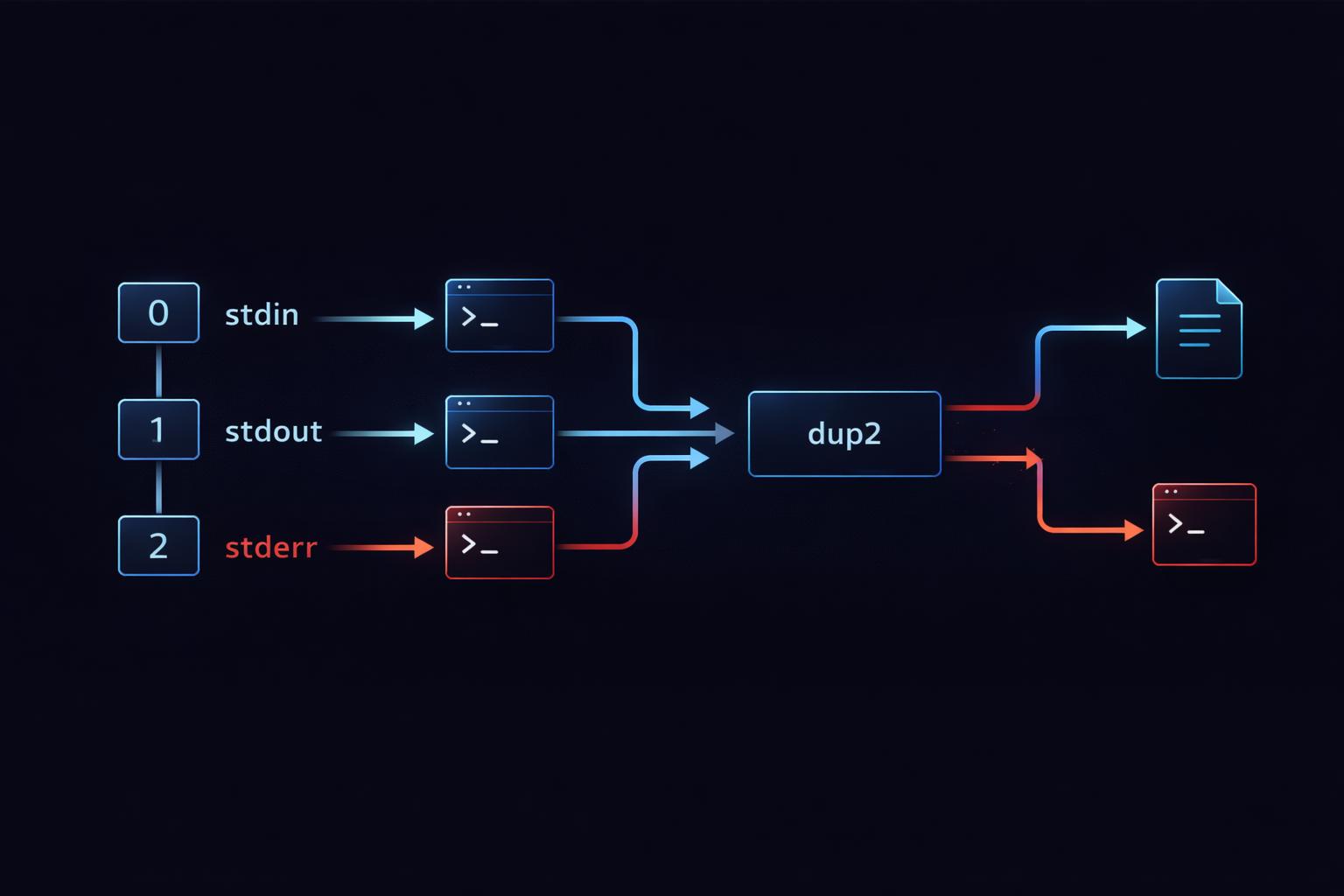
Up to this point, we have been dealing with the concept of streams and the flow built on top of them. We examined how stdin, stdout, and stderr are connected, and how pipe and redirection manipulate that flow. However, all of this ultimately operates on top of a lower-level structure. That structure is the file descriptor. A file descriptor in Linux is a number that identifies an open file or stream, and programs use this number to read and write data. What we commonly refer to as stdin, stdout, and stderr are actually represented internally as file descriptors 0, 1, and 2. In other words, everything we have discussed so far is fundamentally about how these numbers are connected and reassigned.
When viewed from this perspective, redirection and expressions like 2>&1 take on a completely different meaning. They are not simple shell syntax or string-level operations, but rather mechanisms for reconfiguring relationships between file descriptors. For example, > changes the target that file descriptor 1 (stdout) points to, redirecting it to a file, and 2>&1 makes file descriptor 2 (stderr) refer to the same destination as file descriptor 1. The crucial point here is that this is not a value copy, but a reference reassignment. This is why execution order matters, and why unexpected behavior can arise when commands are arranged incorrectly.
At the core of this mechanism is the system call dup2. The dup2 call duplicates one file descriptor into another, ensuring that both descriptors refer to the same underlying resource. The redirection and descriptor manipulation we perform in the shell are implemented internally using this operation. This means that behind the simple syntax we use every day lies a low-level system mechanism that rearranges how file descriptors are mapped. Once this structure is understood, every behavior we have seen so far becomes predictable. What used to feel like memorized syntax transforms into a system you can reason about and control with confidence.
At this point, the conceptual journey is nearly complete. We started with the abstraction of streams, moved through pipe and redirection, and have now arrived at the underlying mechanism of file descriptors. Understanding this structure provides not just knowledge of commands, but an intuitive grasp of how the system handles data. And that intuition becomes critical when we move from theory into real-world systems. It is time to examine how this structure manifests in practical environments.
How It Is Used in Real Systems — Logs, Errors, and Operational Environments
The structure we have discussed so far is not merely theoretical. In real-world operational environments, failing to understand this model will inevitably lead to problems. One of the most common examples is logging. In many systems, logs are not simply written to files, but are instead emitted through stdout and stderr. In such setups, stdout is often used for standard logs, while stderr is reserved for error messages. These streams may be processed separately or combined depending on the needs of the system. Every one of these behaviors is built directly on top of the stream and file descriptor model we have explored.
In batch jobs and server environments, redirection plays an especially critical role. It allows you to capture the output of a process into a file while directing errors to a separate location, or to merge both into a single stream for unified logging. The use of /dev/null enables the intentional discarding of unwanted output. These are not isolated tricks, but deliberate applications of a consistent I/O model. Without understanding this structure, developers frequently encounter issues such as missing logs, lost error messages, or outputs appearing in unexpected places. What appears to be unpredictable behavior is in fact the direct consequence of how streams are configured and redirected.
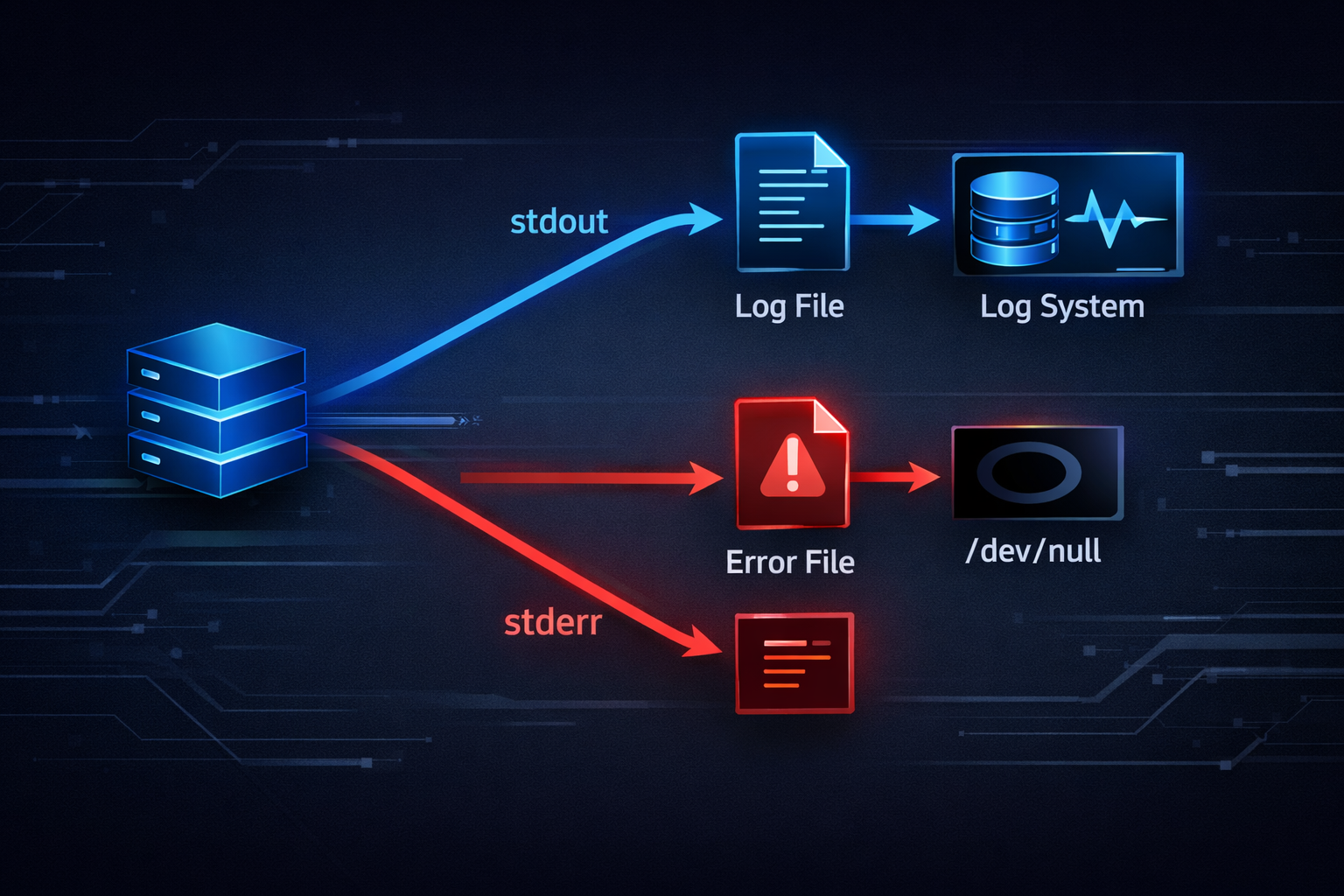
The critical question at this stage is not how these mechanisms work, but why this model is used in the first place. Writing logs directly to files may seem straightforward, but routing output through streams offers far greater flexibility. It allows the destination of output to be determined dynamically, and enables different components to be composed and recombined without modifying application logic. This flexibility is one of Linux’s greatest strengths, and at the same time a frequent source of confusion. However, once the underlying structure is understood, these behaviors no longer appear arbitrary, but instead form a coherent and predictable system. This realization becomes even more significant in modern containerized environments.
I/O in the Container Era — Why stdout Becomes the Log
In container-based environments, the Linux I/O model is not replaced, but rather utilized in a more explicit and structured way. Traditionally, server applications would write logs directly to files on disk. However, in containerized systems, stdout and stderr themselves become the primary logging interfaces. This shift is not merely an implementation detail, but reflects a fundamental change in system design philosophy. Containers are ephemeral by nature; they are created and destroyed dynamically. As a result, storing logs inside the container filesystem is neither reliable nor practical. Instead, all output is emitted as streams and collected externally by logging systems.
Without understanding the I/O structure we have discussed, many of the behaviors in container environments can seem counterintuitive. For instance, if an application writes logs to a file inside the container, those logs are often invisible from the outside. On the other hand, when logs are written to stdout, orchestration platforms like Docker and Kubernetes automatically capture and manage them. In this context, stdout and stderr are no longer just output channels; they serve as standardized interfaces for logging systems. This transformation is built directly on top of the same Linux I/O principles, which is why a solid understanding of those principles is essential.
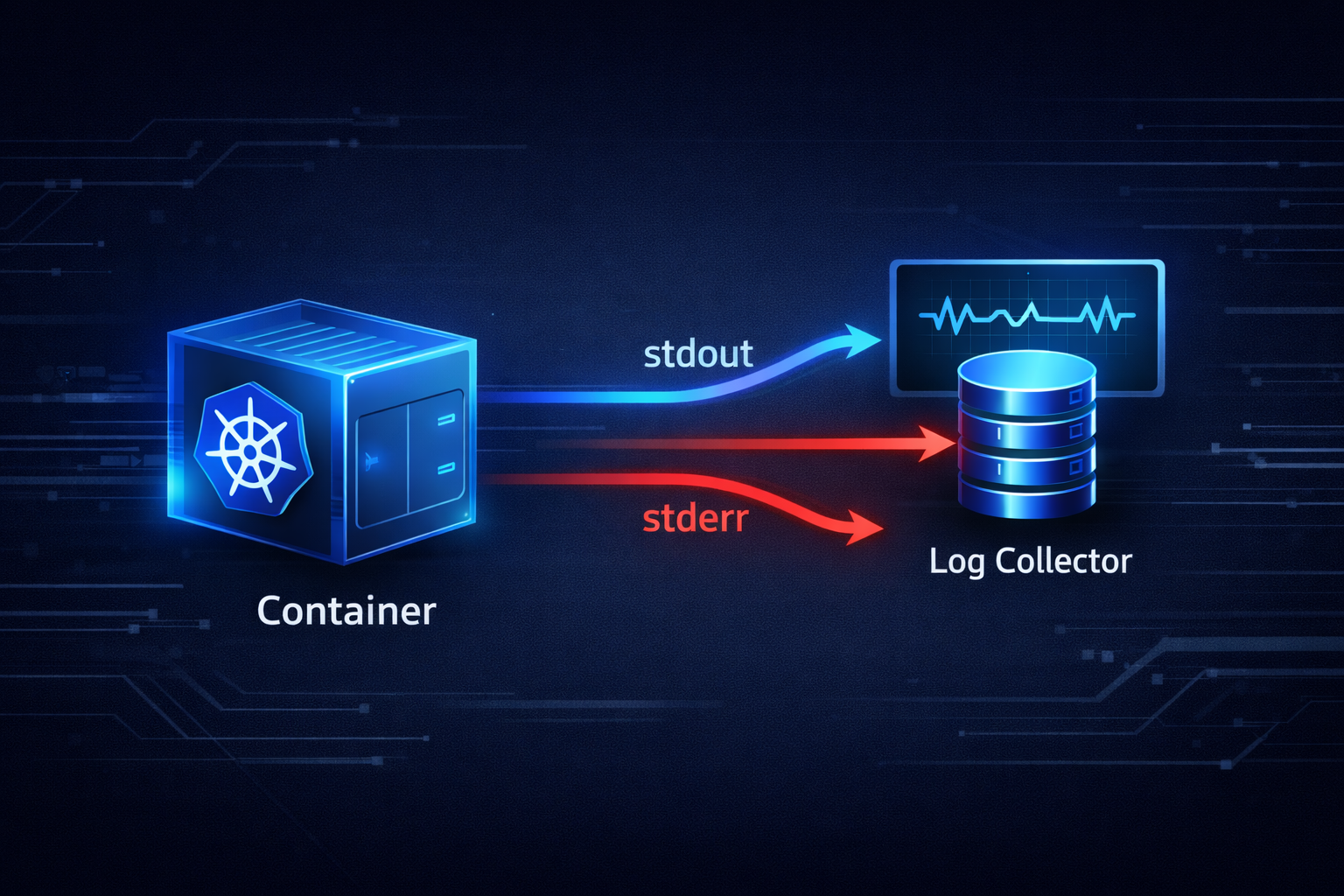
At this stage, the overall picture is nearly complete. We began with the abstraction of streams, explored how processes are connected, examined how flow is controlled, uncovered the underlying file descriptor mechanism, and extended that understanding into real-world systems and container environments. What remains is to bring all of these elements together into a single, unified view. Only then does this knowledge stop being fragmented concepts and become a coherent system that can be applied consistently.
Reconnecting the Entire Structure — Bringing Scattered Concepts into One
So far, we have walked through multiple concepts step by step. We started with the fundamental structure of stdin, stdout, and stderr, then explored how programs are connected through pipes, how flow direction is controlled via redirection, and how the internal structure is governed by file descriptors and dup2. Finally, we examined how this entire structure manifests in real-world environments and containerized systems. At this point, what matters is not introducing new concepts, but reorganizing the ones we have already covered into a single, cohesive flow. Understanding each concept in isolation is fundamentally different from understanding them as parts of a unified system.
If we express the Linux I/O structure as a single flow, it can ultimately be described as follows. Input enters through stdin, the program processes that data, and then produces output through stdout and stderr. This output can be passed to another program via a pipe, or redirected to a file or another destination through redirection. All of these operations run on top of the underlying structure of file descriptors, and their relationships are manipulated through dup2. What is important is that this flow does not terminate in a linear fashion. Instead, it can continue indefinitely. The output of one program becomes the input of another, and that result can again be extended into further processing. This is what transforms Linux from a simple execution environment into a powerful data processing platform.
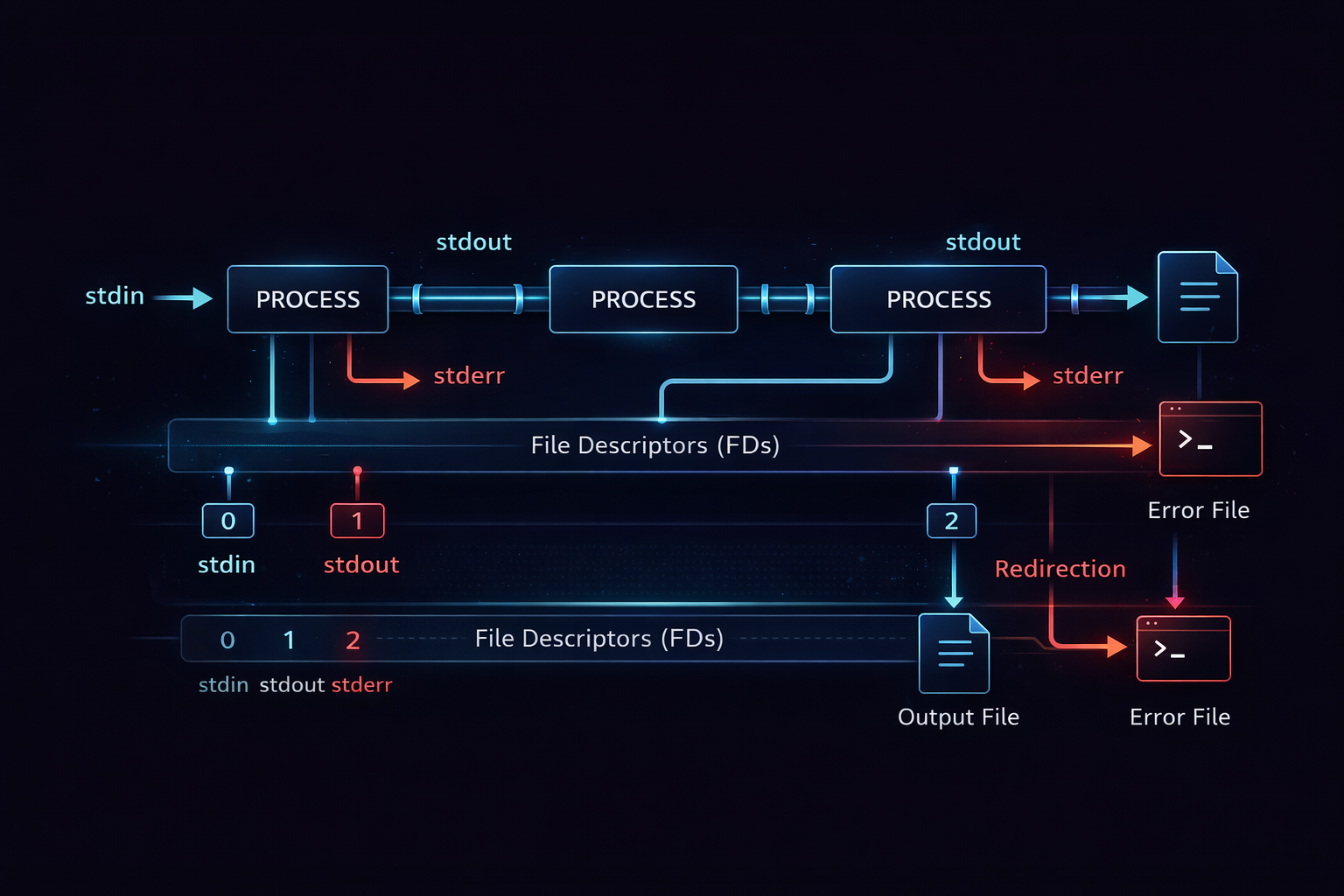
Once this entire flow is understood, the individual concepts that previously seemed fragmented begin to take on entirely new meaning. A pipe is no longer just a connector, but an extension of data flow. Redirection is not merely output control, but a mechanism for defining where data should go. The expression 2>&1 is not a cryptic syntax, but a redefinition of relationships at the file descriptor level. There is no longer a need to memorize these individually. It becomes sufficient to understand the role each element plays within the system. And the moment this shift occurs, the way you use Linux commands fundamentally changes. You are no longer executing commands; you are designing data flows.
At this point, the structure is nearly complete. What remains is not conceptual understanding, but how to navigate and deepen that understanding in practice. This article has served as a bridge, connecting all the pieces into a unified model. The next step is to move from this overview into deeper exploration of each component. That transition needs to be clearly guided, because this article is not the end, but the entry point into the entire series.
How to Read This Series — Navigating Entry, Core, and Advanced Layers
If you have followed this article to this point, you have already seen the entire structure of Linux I/O in a single pass. The next step is to deepen that understanding by exploring each concept individually. However, the important question is not simply what to read, but how to approach the material. Not every reader starts from the same position. Some arrive with a specific problem to solve, others want to build a solid foundational understanding, and some are already familiar with the concepts but want to see how they apply in real-world systems. This series is structured to accommodate all of these entry points by organizing content into Entry, Core, and Advanced layers.
For readers starting from a problem, Entry-level articles provide the most direct path. If you encountered issues such as logs not appearing as expected or confusion around 2>&1, beginning with problem-driven explanations allows you to quickly anchor your understanding. On the other hand, if your goal is to understand the structure from the ground up, Core articles are the appropriate path. Topics such as stdin, stdout/stderr, pipe, and dup2 form the backbone of the system. By studying these with the overall flow from this article in mind, you can build a connected understanding rather than isolated fragments.
▶ To deeply understand pipe structures: What Is a Pipe (|)? A Clear Guide to the Linux Pipe Concept
▶ To fully grasp stdout/stderr and redirection: Understanding Linux I/O Streams — stdin, stdout, stderr, and Redirection
▶ To analyze why pipeline patterns are powerful: Why grep, sort, and uniq Are Piped Together — The Core Pattern for Log Analysis
For practical, real-world application, the Advanced layer becomes critical. Concepts such as container logging or /dev/null are not theoretical curiosities, but elements that directly impact system behavior in production environments. In modern systems, how stdout and stderr are handled directly influences observability and operational reliability. Understanding these aspects is not optional, but essential. This series is designed not only to explain concepts, but to provide a framework that can be immediately applied in real-world scenarios.
Ultimately, the role of this article is clear. It does not exist to deliver isolated knowledge, but to connect previously scattered concepts into a coherent structure, and to guide you toward the next steps in that structure. From here, each article in the series should be approached not as an independent piece, but as a component within a larger system. As long as that perspective is maintained, Linux I/O will no longer appear as a collection of confusing features, but as a consistent and predictable system governed by a small set of underlying principles.
