
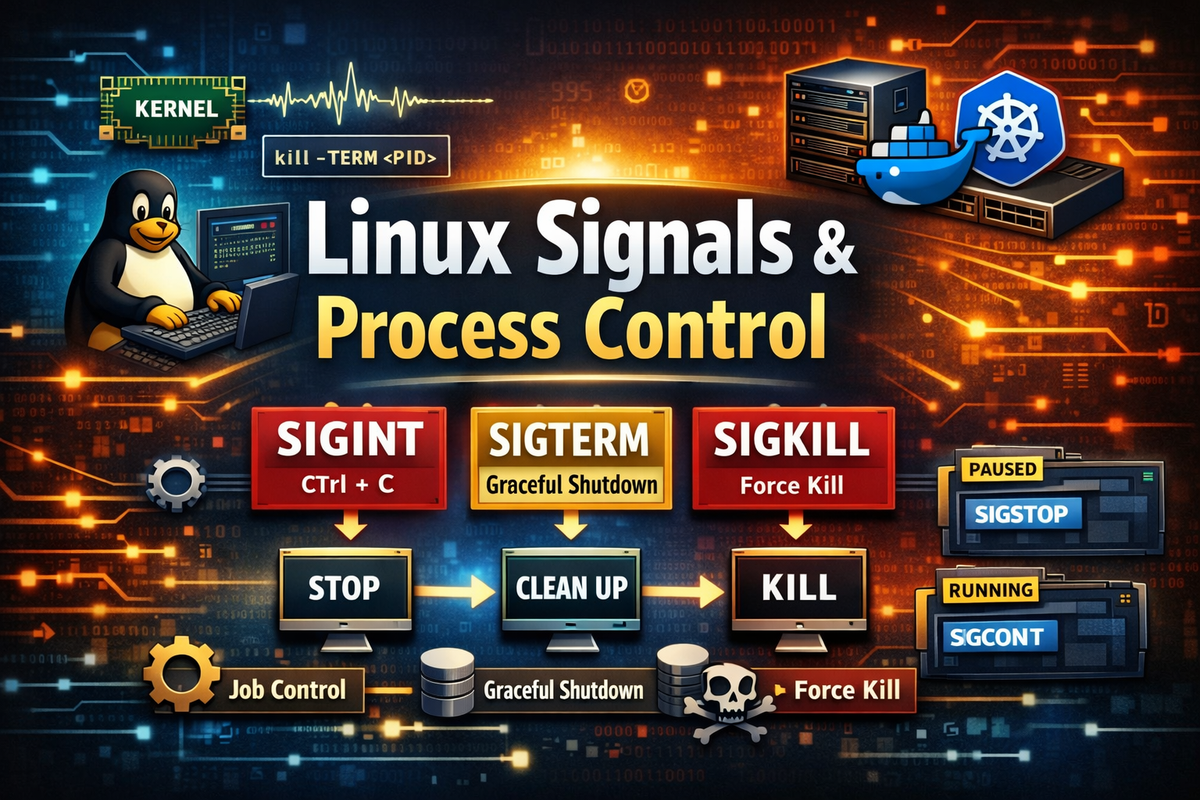
1. Definition / Conclusion
Signal is an asynchronously delivered control event sent to a running process in Linux.
Once a process starts, it continues to run according to its own code flow, but the operating system must be able to intervene from outside that execution flow when needed. A user may want to interrupt it directly, the shell may need to stop or resume a job, or the system or a service manager may need to request a graceful shutdown. The core mechanism used for that is Signal.
Many people understand Signal as nothing more than a “way to kill a process,” but that is far too narrow an interpretation. The essence of Signal is not command execution, but a mechanism for changing the state of an already running process from the outside. In other words, it is not the interface for starting a program, but the interface for controlling the lifecycle and state transitions of a program that has already been started.
For example, when a program stops because you press Ctrl + C, that happens because of a Signal. When you request termination with the kill command, that also happens through a Signal. Job Control, which stops and later resumes background tasks, is directly connected to Signal as well. Therefore, Signal is not just a termination tool, but a core part of Linux execution structure that extends to process control, service operations, batch cancellation, container shutdown, and shell job control.
If you summarize the core idea in one sentence, it is this:
A Signal is the standard operating-system-level interface for delivering control intent from the outside to a running process.
Once you understand this concept accurately, you can move away from the habit of blindly using kill -9, and the difference between SIGTERM and SIGINT becomes much easier to understand. More importantly, practical concepts such as Docker, Kubernetes, systemd, shell-script trap, and graceful shutdown all connect naturally in a single line.
2. Key Summary
A Signal is an event delivery structure for control between processes.
Linux does not treat a process simply as “running or not running.” It matters whether it is currently in the foreground, running in the background, stopped, or receiving a termination request. A Signal is the standard means of conveying such state changes from the outside.
Typically, SIGINT is a user interrupt. In most cases, when you press Ctrl + C in a terminal, it is delivered to the foreground process. SIGTERM is a graceful termination request. It does not forcibly remove the process immediately, but tells the process, “prepare to shut down now.” In contrast, SIGKILL gives the process no choice. The kernel removes it directly.
The most important difference here is this.
Signal is fundamentally not a forced termination structure, but a cooperative termination structure.
In other words, the operating system does not simply delete a process unconditionally. It first sends a termination request or a state-transition request, and the process is designed to receive that request and perform appropriate cleanup. Because of this structure, an application can do things like the following:
- close open files
- flush logs
- clean up network connections
- release locks
- delete temporary files
- save checkpoints
- roll back or commit transactions properly
This is also why Signal must be understood in practice.
Killing a process is easy. But shutting it down safely is a different matter. Once you consider data consistency, resource cleanup, and restart stability, Signal becomes a required concept.
To summarize it simply:
SIGINT   -> user interrupt (Ctrl + C)
SIGTERM  -> graceful termination request
SIGKILL  -> forced termination
SIGSTOP  -> pause
SIGCONT  -> resume
But merely memorizing the names is not enough. What matters is understanding what intent each signal carries, how a process can or cannot handle that signal, and how all of that connects to the shell and the operating environment.
3. Why It Is Necessary
Once a process starts running, it continues according to its own code flow.
For example, long-running batch jobs, server processes, daemons that sit in infinite loops, file-copy commands, and processes that continuously read logs keep running until they reach their own termination conditions. The problem is that in real systems, situations inevitably arise where such running programs must be controlled from the outside.
The simplest example is direct user interruption. If a command takes too long or was launched incorrectly, the user naturally wants to stop it midway. From the system’s perspective as well, there are many reasons to request termination of a running process, such as service redeployment, server shutdown, container replacement, batch cancellation, or resource reclamation. If only “immediate removal” were possible in those situations, the problem would be serious.
That is because a process carries a variety of state while it is running. It may not just be using memory. It may have files open, be inside a DB transaction, keep socket connections alive, or have temporary files created. If it is forcibly removed, it does terminate, but that is not a graceful shutdown. This difference matters enormously in real operations.
For example, problems like the following can occur:
- a file being written is left half-written
- a lock file is not removed, blocking the next execution
- DB work is interrupted midway and data consistency is broken
- a worker process cannot save the state of the task it was processing
- logs are not flushed, making root-cause analysis difficult
In other words, “it dies” and “it shuts down cleanly” are completely different issues.
Signal exists to solve this problem.
Instead of unconditionally telling the process to be removed, it first sends a termination request or a state-change request. Then the process can receive that request, perform cleanup, and shut itself down after completing the necessary cleanup.
Structurally, the difference is clear.
Old approach: forced termination
-> kernel immediately removes the process
-> no chance for cleanup

Signal approach: termination request
-> process receives the signal
-> internal cleanup is performed
-> graceful shutdown
This is why Signal becomes not just a termination mechanism, but a process lifecycle control interface.
A user can interrupt a task, the shell can change a job’s state, a service manager can attempt graceful shutdown, and a container runtime can wait for a clean shutdown for a certain amount of time before finally forcing termination. In other words, it is not an exaggeration to say that modern Linux system operations are built almost entirely on top of Signal.
4. Examples
Example 1. SIGINT — Interrupt the current task with Ctrl + C
The most familiar Signal is SIGINT.
When you run a command in the terminal and press Ctrl + C, that task usually stops. Many users think of this as just a “terminal cancel shortcut,” but in reality, it is the terminal sending a SIGINT to the foreground process group.
sleep 100
If you press Ctrl + C in this state, the currently running sleep process receives SIGINT and terminates.
The result is simple.
The process is immediately interrupted
Why does this happen.
The terminal interprets user input as control characters. Ctrl + C is not treated as plain text input, but as an interrupt request. That request is then delivered as SIGINT to the process currently running in the foreground. Therefore, this behavior is not just shell syntax, but the result of a structure involving terminal + process group + Signal.
When is it used.
It is used when a user wants to stop a running task directly. Builds, tests, infinite loops, long-running queries, or mistakenly executed commands—all interactive environments rely heavily on this.
There is also an important detail to understand.
Not all processes handle SIGINT the same way. The default behavior is termination, but if a program registers its own handler, it can behave differently. For example, it may only show a warning the first time, terminate on the second interrupt, or perform safe cleanup before exiting.
Example 2. Request graceful termination with SIGTERM
SIGTERM is the most important termination signal.
Its core meaning is not “remove immediately,” but “request termination.” That is why it is used first in situations like service shutdown, batch cancellation, or container stop.
kill -15 <PID>
Or more readably:
kill -TERM <PID>
The result is usually as follows.
The process terminates, but internal cleanup logic may run before exit
Why does this happen.SIGTERM is a catchable signal. This means that when a process receives it, it can either terminate according to the default behavior or execute a user-defined handler before exiting. Because of this, applications can implement graceful shutdown.
For example, a server application may follow this flow:
SIGTERM received
-> stop accepting new requests
-> finish in-progress requests
-> clean up DB connections
-> flush logs
-> exit
When is it used.
It is used in almost all situations where a graceful shutdown is required: service shutdown, server restart, batch cancellation, container termination, and operational automation. In practice, it should always be considered before kill -9.
Example 3. Force termination with SIGKILL
SIGKILL is not cooperation, but enforcement.
This signal gives no opportunity for cleanup. The kernel directly removes the process, and the process cannot ignore or handle it.
kill -9 <PID>
Or:
kill -KILL <PID>
The result is straightforward.
The process is immediately terminated
Why does this happen.SIGKILL exists as a final fallback for system stability. It is used when a process is stuck in an abnormal state, ignores SIGTERM, hangs during cleanup, or cannot be recovered from user space.
However, this comes with a cost.
The process cannot do anything before termination. Therefore, user-space cleanup is not performed at all. For example, temporary files, application locks, intermediate states, and consistency with external systems are not guaranteed.
When is it used.
It should only be used as a last resort when a process does not terminate with SIGTERM. In practice, the principle is always TERM -> wait -> KILL.
Example 4. Pause and resume with SIGSTOP / SIGCONT
Signals are not only for termination.
They can also pause and resume a process. This is very important for Job Control, debugging, and resource management.
kill -STOP <PID>
kill -CONT <PID>
The result is:
The process is paused and then resumed
Why does this happen.SIGSTOP stops the execution of a process, and SIGCONT resumes it. Like SIGKILL, SIGSTOP cannot be ignored. A process cannot refuse to stop. In contrast, SIGCONT resumes a stopped process.
This structure is directly connected to shell Job Control.
For example, pressing Ctrl + Z stops a foreground job, and the shell manages it as a stopped job. Later, it can be resumed using bg or fg. In other words, Job Control is not magic—it is a Signal-based state transition system.
When is it used.
It is used when temporarily yielding resources, pausing execution during debugging, controlling shell jobs, or suspending processes during operations.
Example 5. Handling Signals with trap
Signals can also be handled directly in shell scripts.
The tool used for this is trap. trap defines what action should be executed when a specific Signal is received. This allows custom logic to run instead of the default behavior.
#!/bin/bash

trap "echo 'cleanup'; exit" SIGTERM

while true; do
  sleep 1
done
If you send SIGTERM to this script from outside, it behaves like this:
cleanup
And then exits.
Why does this happen.
Because trap acts as a handler for SIGTERM. Instead of simply terminating, the script executes defined logic before exiting. In practice, more meaningful operations are performed, such as:
- removing temporary files
- deleting lock files
- cleaning up background child processes
- saving checkpoints
- logging termination state
A more practical example looks like this:
#!/bin/bash

LOCK_FILE="/tmp/myjob.lock"
TMP_FILE="/tmp/myjob.tmp"

cleanup() {
  echo "[INFO] cleanup start"
  rm -f "$LOCK_FILE" "$TMP_FILE"
  echo "[INFO] cleanup done"
  exit 0
}

trap cleanup SIGINT SIGTERM

touch "$LOCK_FILE"
touch "$TMP_FILE"

while true; do
  echo "working..."
  sleep 2
done
This script performs cleanup when it receives SIGINT or SIGTERM.
This pattern is extremely common in practice. A script that ignores Signals may terminate, but it leaves operational residue, blocks future execution, and makes troubleshooting harder.
5. Practical Usage
1. Service shutdown handling
Server applications require graceful shutdown.
If an operator forcibly removes a process while it is handling requests, those requests may end in inconsistent states. A DB transaction may be mid-flight, partial requests may have been sent to external systems, and responses may fail while internal state is partially applied. In other words, forced termination can amplify failures.
For this reason, server processes typically implement graceful shutdown upon receiving SIGTERM. In Java, this is often done using a shutdown hook.
Runtime.getRuntime().addShutdownHook(new Thread(() -> {
    System.out.println("Shutdown hook triggered");
    // close connections, flush queues, release resources, etc.
}));
The effect of this structure is clear.
When an operator requests shutdown, the process does not disappear immediately. It transitions into a shutdown phase: it stops accepting new requests, finishes in-progress work, cleans up resources, flushes logs, and then exits.
Frameworks like Spring Boot, Netty, Nginx, and many application servers are built on this concept.
Without understanding Signal, graceful shutdown itself remains only superficially understood.
2. Batch job interruption handling
Batch jobs often run for long periods.
Data collection, transformation, aggregation, training, file processing, and bulk ingestion may take minutes or hours. Interrupting such jobs midway is common.
The problem is that forced termination makes restart difficult.
You cannot tell how far the job progressed, cannot distinguish between applied and unapplied data, and may leave intermediate outputs in an inconsistent state.
For this reason, batch systems often save a checkpoint when receiving SIGTERM and then terminate safely.
A typical flow looks like this:
SIGTERM received
-> save current position
-> flush intermediate state
-> log interruption
-> exit
With this design, the job can resume from where it left off.
In practice, restartability is not just convenience—it is operational stability, especially for large-scale workloads.
3. Container shutdown handling
In Docker and Kubernetes, Signal is fundamental to shutdown behavior.
When a container is stopped, it does not immediately receive SIGKILL. Instead, the runtime first sends SIGTERM and waits for a grace period. Only if the process does not exit within that time does it send SIGKILL.
The structure is:
container stop requested
-> SIGTERM sent to PID 1
-> wait for grace period
-> if still running, SIGKILL
The meaning is clear.
The application inside the container is given a chance to clean up. A web server may stop accepting requests and finish in-flight ones. A worker may checkpoint its progress. A consumer may commit offsets.
A common issue arises when PID 1 inside the container does not properly receive or propagate Signals.
For example, if a shell wrapper is misconfigured, the actual application may never receive the Signal, breaking graceful shutdown. That is why ENTRYPOINT design, init processes, and exec form usage matter in practice.
Container operations are ultimately about designing proper Signal delivery paths.
4. Health checks and process control automation
In production environments, controlling process state is as important as starting processes.
When health checks fail, abnormal states are detected, resource limits are exceeded, or timeouts occur, processes may need to be restarted or paused.
Signal is the primary interface for such automation.
Instead of immediately using SIGKILL, systems can first send SIGTERM and wait. If necessary, SIGSTOP can pause a process, and SIGCONT can resume it.
This allows fine-grained control:
- termination requests
- pause and resume
- restart strategies
- timeouts and fallback to forced termination
All of these are built on Signal.
Compared to simply killing processes, this approach enables far more controlled and stable operations.
6. Common Mistakes
Mistake 1. Thinking kill means forced termination
This is the most common misunderstanding.
Because of its name, many assume kill <PID> immediately destroys the process. But by default, it sends SIGTERM, not SIGKILL.
kill <PID>
This is equivalent to:
kill -TERM <PID>
As a result, the process may not terminate immediately.
It may be performing cleanup, executing handlers, or even ignoring the signal.
The correct interpretation is:
The kill command does not kill a process—it sends a Signal.Understanding this distinction is essential.
Mistake 2. Always using SIGKILL
Immediately using kill -9 is a bad habit.
It appears fast and reliable, but it achieves that by removing any chance of cleanup.
kill -9 <PID>
The process cannot perform any shutdown logic.
Logs are not flushed, locks are not released, temporary files remain, and external consistency is not ensured.
The correct sequence is:
kill -TERM <PID>
sleep 5
kill -KILL <PID>
That is, attempt graceful termination first, wait, and only then force termination if necessary.
Mistake 3. Treating Signal as just termination
Signal is a state transition system.
But many explanations focus only on termination, leading to a limited understanding.
For example:
command &
This runs a process in the background. But the shell manages it as a job, and its state can change through Signals.
Ctrl + C->SIGINTCtrl + Z-> stop-related Signalbg-> resume in backgroundfg-> bring to foregroundkill-> send specific Signal
Without understanding Signal as a state system, these appear unrelated.
In reality, they are all connected.
Mistake 4. Not handling Signals in scripts
Shell scripts often act as operational tools.
But many scripts do not handle termination properly.
Example:
#!/bin/bash

touch /tmp/my.lock
while true; do
  sleep 1
done
If this script exits, the lock file remains.
Future executions may fail incorrectly.
The solution is trap:
trap 'rm -f /tmp/my.lock; exit' SIGINT SIGTERM EXIT
This ensures cleanup runs on exit.
Without it, scripts leave residue, causing instability and harder debugging.
Mistake 5. Treating SIGTERM and SIGINT as identical
They may look similar, but their intent differs.SIGINT is typically user-driven interruption. SIGTERM is a system-driven graceful shutdown request.
If treated identically, you lose the ability to distinguish user intent from system control.
For example, a batch job may want to stop immediately on user interrupt but save a checkpoint on system shutdown.
Understanding not just the signal name, but who sent it and why, is essential.
7. Related Concepts
To properly understand Signal, several surrounding concepts must be connected together.
First, kill is the command used to send Signals.
Because of its name, it often causes misunderstanding, but its essence is not a process termination command—it is a signal delivery command. The default is SIGTERM, but other Signals can also be sent as needed.
kill -TERM <PID>
kill -KILL <PID>
kill -STOP <PID>
kill -CONT <PID>
Next, Job Control is the structure for managing process states.
Foreground, background, and stopped states are managed by the shell at the job level, and these state transitions cannot be explained without Signals. In other words, jobs, fg, bg, Ctrl + Z, and Ctrl + C all operate on top of Signal.
PID is the identifier for the target of a Signal.
Processes are identified inside the kernel by PID, and a Signal is ultimately delivered to a specific PID or a process group. Therefore, by connecting this with concepts such as ps, pgrep, /proc, and process groups, you can understand Signal delivery targets more precisely.
A daemon is a background process controlled through Signals.
Most daemons or service processes are terminated with SIGTERM, and may also receive other Signals for configuration reloads or restarts. In other words, service operation is essentially about “sending the right Signal and making sure it is handled properly.”
If you want to check the list of Signals, you can use:
kill -l
The output may vary slightly depending on the system, but it generally looks like this:
 1) SIGHUP   2) SIGINT   3) SIGQUIT  9) SIGKILL  15) SIGTERM
19) SIGSTOP 18) SIGCONT ...
To inspect process states, the following commands are commonly used:
ps -ef | grep myapp
ps -o pid,ppid,stat,cmd -p <PID>
If the STAT field shows T, it may indicate a stopped state.
That means you can also infer whether a process is paused due to a Signal.
8. Deeper Dive
Signal may look like a simple event, but in reality it is an asynchronous control mechanism managed by the kernel.
A process runs by consuming CPU according to its own code flow, but the operating system can inject state change requests from outside at any time. Signals can be generated by user input, control requests from other processes, kernel-internal conditions, terminal events, and more.
The core flow is typically as follows:
1. Signal generation
   - user input
   - kill calls from another process
   - kernel internal events
   - terminal control

2. kernel delivers the signal to the target process (or process group)

3. target process handles it
   - execute registered handler
   - ignore
   - perform default action
An important point here is that although Signal appears like an immediate interrupt, the actual handling is not that simple.
The kernel marks the Signal as pending for the process, and the process handles it at an appropriate point. Conceptually it is an asynchronous event, but the actual handler execution happens within the process context.
Because of this, Signal handler design is more complex than it appears.
In low-level environments like C, there are strict limitations on what can be done inside a handler, including issues such as reentrancy and async-signal-safe functions. Higher-level languages and frameworks abstract some of this complexity, but the fundamental nature—“an external control event that can arrive at any time”—remains unchanged.
Not all Signals are the same.
The most important distinction is between catchable Signals and uncatchable Signals.
Examples of catchable Signals:
SIGTERMSIGINTSIGHUPSIGUSR1SIGUSR2
These can typically be handled, ignored, or left to default behavior.
Examples of uncatchable Signals:
SIGKILLSIGSTOP
These cannot be ignored or overridden by user code.
This distinction exists for system stability. If every Signal could be ignored, the operating system would lose the ability to control misbehaving processes. Therefore, a minimal set of enforced control mechanisms must always be guaranteed by the kernel.
If you look at Signal again together with the shell structure, it becomes even clearer.
When a user executes a command in the terminal, the shell creates a process and places it in the foreground or background. When the user presses Ctrl + C, an interrupt is delivered to the foreground job. When Ctrl + Z is pressed, a stop-related Signal is delivered. Commands like bg and fg resume and move jobs between states. In other words, most of what the shell does for job control is a combination of process creation and Signal delivery.
The same applies in container environments.
When Docker or Kubernetes terminates a process, it is fundamentally delivering Signals. When systemd stops a service, it is also using Signals. Shells, service managers, orchestrators, user input, and operational automation scripts all share the same interface. That is the power of the Signal model.
In conclusion, Signal simultaneously satisfies three aspects:
- process control
- system stability
- operational automation
In other words, it is not just “a feature that sends something to a process,” but a core mechanism that defines how Unix-like operating systems manage running programs.
9. Summary
Signal is the core mechanism in Linux for controlling running processes from the outside.
A process continues executing according to its own code flow, but real systems require external control to interrupt, terminate, resume, or change state. Signal is the standard operating-system-level interface that delivers that control intent.
SIGINT, SIGTERM, and SIGKILL may all appear related to termination, but they serve different roles.SIGINT is a user interrupt, SIGTERM is a graceful termination request, and SIGKILL is forced removal. The most important point is that forced termination is not the default—controlled termination is the fundamental structure. The system first requests termination, gives the process a chance to clean up, and only forces removal as a last resort.
With this perspective, many practical concepts connect naturally.
You can understand why Ctrl + C works in the shell, why kill is not inherently a forced termination, why trap is necessary, how Job Control is tied to Signals, and why Docker and Kubernetes send SIGTERM before SIGKILL.
The minimum principle to remember in practice is clear:
# 1. attempt graceful termination first
kill -TERM <PID>

# 2. wait for shutdown

# 3. force termination only if necessary
kill -KILL <PID>
When writing scripts or server processes, termination should not be treated as “it will eventually end,” but as “it may receive a Signal from the outside requesting termination.”
Only then can temporary files, locks, transactions, connections, logs, and checkpoints be managed safely in real operations.
Ultimately, the essence of Signal is this:
Signal is not a technique for killing processes, but a structure that makes running processes controllable in a coordinated and predictable way.
From this perspective, the Linux process control model becomes much simpler.
Processes run, the shell and system change their state through Signals, and programs respond accordingly. The entire flow—from Job Control to process structure, container shutdown, and operational automation—stands on this single principle.
