
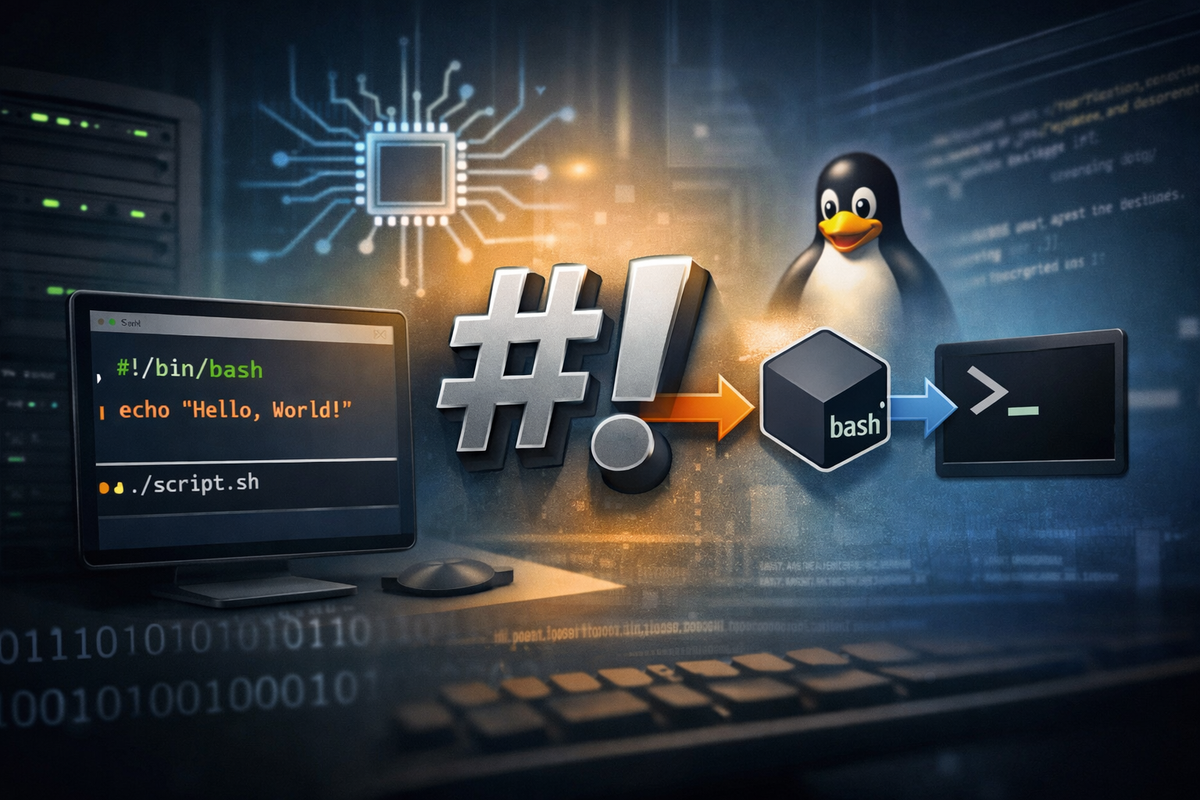
What Is a shebang (#!)
A shebang is a #!-style declaration written on the first line of a script file, and it is an execution specifier that tells the operating system which interpreter should run this file.
It is needed because a script is not a binary executable file. When the operating system receives a request to execute a file directly, it must first determine which program should interpret that file.
The key difference is this. Unlike execution where the user explicitly specifies the interpreter, such as bash script.sh, when a file is executed directly like ./script.sh, the shebang becomes the execution reference point.
Key Summary
A shebang is a structure that specifies the execution interpreter on the first line of a script.
Because the same script can produce different syntax interpretation and execution results depending on which interpreter runs it, a shebang is not just a notation but closer to an execution contract declaration.#!/bin/bash is a method that directly specifies a fixed path, while #!/usr/bin/env bash is a method that finds the executable based on the current environment’s PATH.
Why It Is Needed
A script file is text.
From the operating system’s perspective, a text file is not a format that the CPU can execute directly.
A binary executable file has a defined internal format, so the kernel can load it and begin execution flow, but a shell script or Python script must be read and interpreted by something else.
This is exactly where the question of who will interpret it becomes necessary.
The problem is that there are two ways a user can execute a script.
The first is to specify the interpreter directly. For example, when it is executed as bash script.sh or python3 app.py, the user has already chosen the interpreter.
In that case, the operating system only needs to execute bash or python3 first, and then pass the target script to that program.
In other words, with this execution style, the script can run even without a shebang.
But the second style is different.
This is the case where the user executes the file itself as shown below.
./script.sh
At that point, the operating system must treat script.sh as if it were an executable file.
But this file is not a binary.
That means the kernel has to know which program this file should be handed to.
The answer to that question is the shebang.
The existing limitation is clear.
If a script has no shebang, then when it is executed directly, the operating system has no clear interpretation path.
Depending on the environment, it may produce an error, the shell may handle it indirectly, or a different interpreter than the one the user expected may be used.
That means the same file can be treated differently depending on the system.
A shebang solves this limitation.
By putting a declaration inside the file such as “run this file with /bin/bash” or “run it with the python3 found in the current environment,” the script itself specifies its execution subject.
As a result, the execution method becomes standardized.
The user only has to type ./script.sh, and the system reads the declaration on the first line and calls the proper interpreter.
The practical impact does not stop at convenience.
Deployment scripts, operations automation scripts, cron jobs, CI pipelines, container entrypoints, and local development tools all depend on which interpreter they were written for.
If the shebang is missing or incorrect, the problem is not limited to execution failure.
A more dangerous case is when the script still runs, but a different interpreter reads it, causing some parts of the syntax to misbehave silently.
That means a shebang determines not only whether execution happens, but also whether behavior remains consistent.
Examples
Example 1. Basic bash shebang
The following is the most common form of a bash script.
#!/bin/bash
echo "hello"
Assume the file is named hello.sh and execution permission is granted.
chmod +x hello.sh
Then execute the file directly.
./hello.sh
The result is as follows.
hello
Why does this happen.
Although the user executed hello.sh directly, the actual internal behavior is that the kernel reads #!/bin/bash from the first line, executes /bin/bash, and then passes hello.sh to that bash process.
In other words, it looks like the file itself is executed, but in reality, it is bash that interprets and runs it.
The reason this example matters is that it most directly shows the role of a shebang.
Because the interpreter information is embedded in the script, the user does not need to specify bash at execution time.
This pattern becomes the default structure for scripts that are executed as files themselves, such as operational scripts, installation scripts, and server initialization scripts.
If the same situation is written using explicit interpreter invocation, it looks like this.
bash hello.sh
This also produces the same result.
hello
However, the meaning is different.
In this case, bash is explicitly invoked, so the script is interpreted by bash regardless of the shebang.
On the other hand, ./hello.sh requires the shebang to establish the execution context.
That means a shebang only becomes meaningful in the context of direct file execution.
Example 2. Direct execution without a shebang
Now consider a file without a shebang.
echo "hello"
Give this file execution permission as well.
chmod +x hello.sh
Then execute it directly.
./hello.sh
Depending on the environment, an error like the following may occur.
Exec format error
Or a different behavior may appear depending on how the shell intervenes.
The key point is that the execution reference is unclear.
Why does this happen.
When the operating system receives an execution request, it first checks the file format.
If it is a binary format, it loads it according to its rules.
If it is a text file with a shebang, it calls the specified interpreter.
But if it is just a plain text file with no such information, there is no clear basis to treat it as executable.
What matters in this example is not that “it absolutely cannot run without a shebang.”
It can still run with:
bash hello.sh
The problem is that without a shebang, the file itself cannot describe how it should be executed.
That means the responsibility for execution shifts entirely to the user.
This might be tolerable in manual execution, but it becomes unstable in automated environments.
In practice, this kind of issue appears frequently.
A script works locally because it is executed with bash script.sh, but fails on a deployment server where an entrypoint or scheduler executes it as ./script.sh.
Even though it is the same script, different execution methods produce different results.
A shebang eliminates this difference.
Example 3. shebang in a Python script
A shebang is not limited to shell scripts.
The structure is the same for any interpreted language.
#!/usr/bin/python3
print("hello python")
Assume the file is named app.py and execution permission is granted.
chmod +x app.py
Execute it directly.
./app.py
The result is as follows.
hello python
Why does this happen.
Because the first line #!/usr/bin/python3 acts as an execution directive stating that this file should be processed by the Python 3 interpreter.
The operating system does not understand Python syntax.
Instead, it runs python3 and delegates the interpretation of the file.
This example is meaningful because it shows that a shebang expresses the language assumption of the script.
The script declares from the first line that it is written for Python 3, not Python 2.
In other words, it does not only enable execution, but also defines the compatible syntax scope.
For example, the following code uses Python 3 syntax, specifically f-strings.
#!/usr/bin/python3

name = "world"
print(f"hello {name}")
The result is:
hello world
If this script is connected to a Python 2 environment, it may produce a syntax error.
Therefore, the shebang is where you explicitly state which runtime this code assumes.
In CLI tools, internal automation utilities, and batch helper scripts, this difference can lead directly to runtime failures.
Example 4. Using the /usr/bin/env method
Now consider the env-based approach.
#!/usr/bin/env python3
print("hello")
Execute it directly.
chmod +x app.py
./app.py
The result is:
hello
At first glance, it looks similar to the previous Python example.
However, the internal meaning is different.
#!/usr/bin/python3 means “use exactly /usr/bin/python3.”
On the other hand, #!/usr/bin/env python3 means “first execute /usr/bin/env, and let env find python3 in the current PATH, then execute it.”
In other words, instead of hardcoding an absolute path, it delegates interpreter lookup to environment-based resolution.
The situations where this approach is needed are clear.
The location of python3 can vary across environments.
When using virtual environments, a different python3 may be selected depending on PATH priority.
Container images may also have different default paths.
In such cases, a fixed absolute path reduces flexibility.
For example, consider the following environment where a virtual environment is activated.
python3 -V
which python3
An example result could be:
Python 3.12.2
/home/user/project/.venv/bin/python3
In this environment, #!/usr/bin/env python3 can locate the python3 inside the virtual environment.
In contrast, #!/usr/bin/python3 may directly use the system-wide Python instead.
That means the env method is a way to respect the current execution context.
The practical implication is clear.
In local development, virtual environments, pyenv setups, container environments, and CI pipelines where interpreter locations are not fixed, the env method is more suitable.
On the other hand, if a production server must strictly use a specific interpreter path, the absolute path method is more appropriate.
In other words, the distinction can be understood as portability versus path determinism.
Example 5. Using /bin/sh when bash syntax is required
The following script uses bash-specific syntax.
#!/bin/sh

name="world"

if [[ -n "$name" ]]; then
  echo "hello $name"
fi
When executed directly, it may produce an error like the following depending on the environment.
[[: not found
Or the conditional logic may not behave as intended.
Why does this happen.[[ ... ]] is an extended syntax provided by bash.
However, /bin/sh is not necessarily bash.
Depending on the system, /bin/sh may point to dash or another POSIX-compliant shell.
That means once you choose sh in the shebang, the syntax rules change.
The correct form is as follows.
#!/bin/bash

name="world"

if [[ -n "$name" ]]; then
  echo "hello $name"
fi
Now the result is:
hello world
This example is important because it shows that a shebang is not just about specifying a path, but about defining the interpretation scope of the syntax.
The same text can have different meanings depending on which interpreter reads it.
In other words, a shebang does not merely select an execution engine, but declares the language specification under which the script should be interpreted.
Practical Applications
1. Fixing the execution environment in deployment scripts
The situation involves using the same deployment automation script across multiple servers.
The script includes bash syntax such as file operations, process restarts, environment variable loading, and conditional branching.
The problem is that the default shell can differ depending on the execution environment. In some cases, sh is not bash, and PATH configurations may vary depending on the user account.
Without a shebang, the execution method depends on the caller.
One operator might run bash deploy.sh, while an automation tool might execute it as ./deploy.sh.
As a result, the same script can be interpreted differently depending on the environment.
Responsibility for execution behavior is no longer contained within the code, but scattered across execution contexts.
The solution is to explicitly declare bash within the script.
#!/bin/bash
set -e

echo "deploy start"
Or, if environment portability is required:
#!/usr/bin/env bash
set -e

echo "deploy start"
The effect is that the script is always interpreted using bash regardless of who executes it.
In other words, the code itself describes its execution context.
Even if operational procedures change or the caller differs, the interpretation basis remains stable.
This structure does not simply reduce deployment failures; more precisely, it eliminates ambiguity in execution paths.
2. Distributing Python-based internal tools as command-like utilities
The situation involves distributing small internal Python tools within an organization.
Examples include log processing, CSV transformation, API helpers, or configuration generators.
Users want to execute these tools like regular commands.
The problem is that without a shebang, the tool must always be invoked with an interpreter prefix.
python3 tool.py
While this works, it makes the tool less convenient to use like a native command.
It also requires users to know which interpreter to use, and this can vary depending on the environment.
The solution is to combine a shebang with execution permissions.
#!/usr/bin/env python3

print("run internal tool")
chmod +x tool.py
./tool.py
The effect is that the tool behaves like an executable from the user’s perspective.
Although Python is still running underneath, the user no longer needs to think about the runtime explicitly.
Rather than simply improving user experience, this approach simplifies the execution interface.
The usage pattern of the script becomes embedded within the code itself.
3. Fixing execution behavior in cron or scheduler environments
The situation involves scripts that are executed periodically on a server.
Examples include log cleanup, file backup, scheduled API synchronization, and system health checks.
These tasks are typically executed by cron or system schedulers, not directly by a user.
The problem is that scheduler environments differ from interactive shells.
PATH may be restricted, and assumptions about the default shell may not hold.
A script that works in a terminal may fail when executed by a scheduler for this reason.
In other words, the execution context differs between manual and automated runs.
The solution is to explicitly define the interpreter using a shebang and, if necessary, manage environment paths clearly.
#!/bin/bash
date
echo "cron job running"
Or for Python:
#!/usr/bin/env python3
print("scheduled task")
The effect is that the interpretation basis remains fixed regardless of whether the script is executed by a human or a scheduler.
Cron only needs to request execution, and the script itself defines which runtime should be used.
This structure keeps the scheduler simple while clearly defining the responsibility of the script.
As a result, it becomes easier to distinguish whether failures originate from the execution environment or from the code itself.
4. Maintaining flexible runtime selection in container or virtual environments
The situation involves environments where runtime locations can vary, such as Docker containers, Python virtual environments, pyenv setups, or multiple development servers.
The problem is that absolute interpreter paths are tied to specific environments.
For example, in one container python3 may be located at /usr/local/bin/python3, while in another it may be at /usr/bin/python3.
If an absolute path is hardcoded, the script may work in one environment but fail in another.
This means the code becomes overly dependent on a specific environment structure.
As the number of environments increases, maintenance becomes more difficult.
The solution is to use the env-based approach.
#!/usr/bin/env python3
print("portable script")
The effect is that the python3 found in the current PATH is used.
If a virtual environment is active, that interpreter is selected.
If the container has a different PATH configuration, it follows that context.
In other words, the code prioritizes the current execution context over a fixed path.
This does not mean the env method is always better.
In production environments where strict control over interpreter paths is required, absolute paths may be more appropriate.
The important point is that choosing a shebang is a design decision.
It depends on whether the system prioritizes environment flexibility or strict execution control.
Common Mistakes
Mistake 1. Writing the shebang not on the first line
The incorrect usage is as follows.
# deploy script
#!/bin/bash
echo "start"
The actual result is that the shebang is ignored, or the file may be treated as plain text.
Why is this incorrect.
The operating system recognizes the shebang only when it is located on the first line of the file.
A #! that appears on a later line is just text and has no special meaning.
The correct approach is to place the shebang strictly on the first line.
#!/bin/bash
# deploy script
echo "start"
This mistake often causes real issues because the author believes the shebang has been applied, while the system does not recognize it at all.
In other words, it looks like a readability issue, but in reality it breaks the execution contract.
Mistake 2. Trying to execute directly without execution permission
The incorrect usage is as follows.
#!/bin/bash
echo "hello"
And then immediately:
./script.sh
The actual result is typically:
Permission denied
Why is this incorrect.
A shebang only specifies the interpreter.
It does not grant the file the permission required to be executed directly.
From the operating system’s perspective, direct execution requires the file to be marked as executable.
That means a shebang and execution permission are separate concerns.
The correct approach is to grant execution permission first.
chmod +x script.sh
./script.sh
This mistake happens when the role of the shebang is overestimated.
A shebang defines which interpreter to use.
It does not replace the file permission model.
Mistake 3. Using /bin/sh while relying on bash syntax
The incorrect usage is as follows.
#!/bin/sh

files=(a b c)
echo "${files[0]}"
The actual result is a syntax error related to arrays or unexpected behavior.
Why is this incorrect.
Array syntax, [[ ... ]], and several other features are bash-specific extensions./bin/sh represents a POSIX shell interface, and its actual implementation is not necessarily bash.
The correct approach is to explicitly specify bash if the script depends on bash syntax.
#!/bin/bash

files=(a b c)
echo "${files[0]}"
This mistake originates from the assumption that “sh and bash are both shells, so they should behave similarly.”
However, the shebang is not for specifying a category, but for specifying an exact interpreter.
If the syntax differs, the shebang must also differ.
Mistake 4. Using python instead of python3 for Python 3 scripts
The incorrect usage is as follows.
#!/usr/bin/env python
name = "world"
print(f"hello {name}")
The actual result may vary depending on the environment.
In some cases, it works, while in others it produces a syntax error due to unsupported features like f-strings.
Why is this incorrect.
The name python can refer to different versions depending on the system configuration.
In some environments it points to Python 3, while in others it still refers to Python 2 or is configured differently.
The correct approach is to explicitly use python3 when the script depends on Python 3 syntax.
#!/usr/bin/env python3
name = "world"
print(f"hello {name}")
This mistake occurs when the shebang is treated as simply locating an interpreter.
In reality, it also defines the language version and syntax compatibility.
Mistake 5. Misunderstanding how env should be used
The incorrect usage is as follows.
#!/usr/bin/env /bin/bash
echo "hello"
The actual result is execution failure or an error from env.
Why is this incorrect.env is not a wrapper for executing absolute paths.
It is a tool that finds a command name using the environment variable PATH.
That means it should receive a command name like bash, not a full path.
The correct approach is:
#!/usr/bin/env bash
echo "hello"
This mistake happens when env is misunderstood as just another layer around an interpreter.
The key concept is PATH-based resolution.
If an absolute path is already known, using env is unnecessary.
Mistake 6. Using the env method when the interpreter is not in PATH
The incorrect usage is as follows.
#!/usr/bin/env python3
print("hello")
The actual result may be:
env: python3: No such file or directory
Why is this incorrect.
The env method is convenient, but it relies on a precondition.
The interpreter must exist in the current PATH.
In other words, env does not eliminate path dependency; it delegates interpreter resolution to PATH.
The correct approach is either to ensure PATH is properly configured or to use an absolute path in controlled environments.
#!/usr/bin/python3
print("hello")
This mistake arises when the env method is assumed to be universally better.
In reality, it trades fixed path dependency for reliance on PATH configuration.
아래는 해당 **섹션 7 ~ 섹션 9 (관련 개념 / 더 깊이 보기 / 정리)**를
요약·축약 없이 자연스럽게 영문으로 풀어낸 것이다.
Related Concepts
The shebang is not an independent feature. It exists as part of the Linux process execution structure and is deeply connected to how the operating system determines how a program should run.
First, it is directly tied to execve().
When a program is executed, the shell ultimately calls execve() to request execution from the kernel. At this point, the kernel reads the beginning of the file. If the first two bytes are #!, it does not treat the file as a binary or plain script. Instead, it interprets it as an instruction to run another interpreter.
This means that a script is never executed directly.
It is always executed through another program specified by the shebang. This is the fundamental execution model behind scripting in Unix-like systems.
Second, it is related to PATH resolution.
When using /usr/bin/env, the interpreter is not hardcoded. Instead, it is searched through the PATH environment variable. This makes the script portable across environments, but also introduces dependency on the runtime environment configuration.
For example:
#!/usr/bin/env python3
In this case, the system will look for python3 in PATH rather than relying on a fixed location like /usr/bin/python3.
This is useful in virtual environments, containerized systems, or user-specific setups where interpreter paths may differ.
Third, it connects to file permissions and execution flags.
Even if a shebang is correctly defined, the script will not execute unless the file has executable permission.
chmod +x script.sh
./script.sh
Without execution permission, the operating system will refuse to run the file, regardless of the shebang.
This shows that execution is controlled not just by content, but also by metadata.
Finally, it is closely related to the shell execution fallback behavior.
If a file does not have a shebang, the shell may still attempt to execute it using a default interpreter (typically /bin/sh).
This behavior is shell-dependent and can lead to subtle bugs, especially when Bash-specific syntax is used without an explicit shebang.
Deeper Dive
To fully understand shebang, it is necessary to look at what happens internally at the kernel level.
When a script is executed, the kernel performs the following steps:
- It reads the first line of the file.
- It checks whether it starts with
#!. - If it does, it parses the interpreter path and optional arguments.
- It replaces the original execution request with a new one that invokes the interpreter.
This means that the original script is not the actual executable.
Instead, the interpreter becomes the real process, and the script is passed as an argument.
For example:
#!/bin/bash
echo "hello"
When executed as:
./script.sh
The kernel effectively transforms it into:
/bin/bash ./script.sh
This transformation explains several important behaviors.
One key detail is that the interpreter path must be absolute.
Relative paths are not allowed in shebang because the kernel does not perform PATH resolution unless explicitly instructed through /usr/bin/env.
Another detail is that only one argument is supported in traditional shebang parsing.
Complex argument handling is not possible unless handled indirectly.
This is why patterns like the following exist:
#!/usr/bin/env bash
It shifts complexity from the kernel to user-space tools, allowing more flexible interpreter resolution.
There is also a limitation on the length of the shebang line.
Different systems impose limits (often around 127 characters), which can cause unexpected failures in deeply nested environments or complex setups.
Understanding these internal mechanics clarifies why certain patterns are considered best practices and why others fail silently.
Summary
Shebang is not just a syntax marker at the top of a script.
It is a directive that tells the operating system how to execute the file.
It defines which interpreter should be used, and this decision is made at the kernel level before the program actually starts running.
The key point is that scripts are never executed directly.
They are always executed through an interpreter, and shebang is the mechanism that specifies which interpreter to use.
This also explains why execution behavior changes depending on how a script is invoked.
Running a script directly (./script.sh) uses the shebang, while invoking it through a shell (bash script.sh) ignores it.
From a practical standpoint, shebang affects portability, environment consistency, and execution reliability.
Using absolute paths ensures predictability, while using /usr/bin/env improves flexibility across environments.
Ultimately, understanding shebang means understanding how execution is delegated in Unix systems.
It is not about writing scripts differently, but about understanding what actually happens when a script is executed.
