
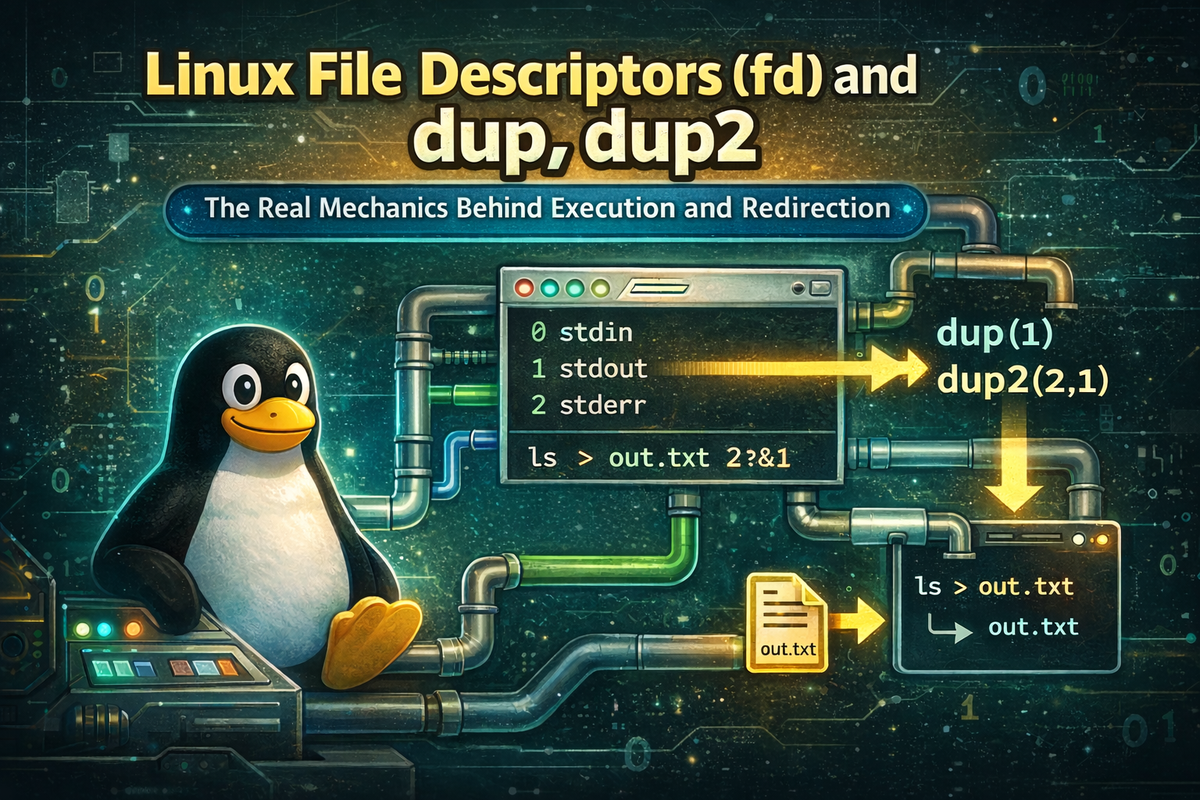
1. Definition / Conclusion
In Linux, a File Descriptor (fd) is an integer number that a process uses to reference input and output targets. Every process by default has file descriptors 0, 1, and 2, which correspond to stdin (standard input), stdout (standard output), and stderr (standard error output).
This number is not just a simple integer; it actually serves as a handle that represents which I/O target the process is connected to.
dup and dup2 are system calls used to duplicate file descriptors or reassign them to a specific number.
The critical point here is that they do not copy file contents, but instead reconfigure the connection so that multiple descriptors point to the same I/O target.
Linux redirection operates on top of this structure.
In other words, shell syntax such as >, 2>, 2>&1, and | does not introduce new functionality, but internally performs operations that change what file descriptors point to.
Ultimately, the core idea of this article can be summarized in a single line.
Redirection is not about changing output content, but about changing the “path” that a file descriptor points to.
Once this perspective is understood, syntax like 2>&1 becomes structurally clear instead of something to memorize,
and Linux I/O and process execution flow become connected into a single coherent model.
2. Key Summary
When a Linux process starts, it has three file descriptors (0, 1, 2) by default.
These act as independent channels for input, output, and error output.
Before executing a command, the shell adjusts what these file descriptors point to.
The core mechanism used for this is file descriptor duplication and reassignment through dup and dup2.
dup2(oldfd, newfd) makes newfd point to the same I/O target as oldfd.
This operation is not “data copying,” but rather a “change of reference target.”
The shell syntax 2>&1 directly applies this concept.
It means that stderr (file descriptor 2) should be connected to whatever stdout (file descriptor 1) is currently pointing to.
The critical detail here is the word “currently.”
File descriptors do not have fixed targets; they represent a connection state that changes sequentially, so redirection is applied from left to right.
Therefore, the following two commands are not equivalent.
command > file.txt 2>&1
command 2>&1 > file.txt
This difference is not about syntax alone,
but arises because
the timing at which file descriptors are duplicated is different.
To summarize the key points:
- A process has file descriptors 0, 1, and 2
- The shell modifies file descriptor connections before execution
dup2makes one descriptor point to the same target as another2>&1connects stderr to the current target of stdout- Redirection order is critical because it determines when duplication occurs
Understanding this structure allows redirection, pipes, and logging behavior in Linux to be explained through a single unified principle.
3. Why It Matters
In Linux, output is not simply “text shown on the screen.”
Users see stdout and stderr mixed together in the same terminal, but in reality they are two completely separate channels.
If this distinction is not understood, redirection often produces results that differ from expectations.
For example, consider saving the output of a command to a file.
command > result.txt
This command sends only standard output (stdout) to the file, while error output (stderr) remains in the terminal.
A user might assume that “all output has been saved,” but in reality only part of the output channels have been redirected.
This issue arises from thinking of output as a single stream.
Linux solves this by separating output into two channels from the start.
- stdout: normal data
- stderr: error messages
Because of this structure, the following options become possible:
- Save only normal results to a file
- Separate errors into a different log
- Merge both streams into one
Up to this point, many explanations cover these ideas.
However, problems arise when going one level deeper.
Many explanations describe 2>&1 simply as “merging the two streams.”
While this describes the result, it does not explain why it works.
This leads to confusion in cases like the following.
command > file.txt 2>&1   # normal + error → file
command 2>&1 > file.txt   # error → terminal, normal → file
These two commands look similar, but their results are completely different.
The difference is determined not by syntax alone, but by when and based on what file descriptors are duplicated.
The limitation of common explanations is as follows:
- They explain output channel separation
- But they do not explain file descriptor duplication structure
- Therefore they cannot explain order-dependent behavior
To resolve this, the perspective must change.
Redirection should not be understood as a “string syntax”
but as a structure that reconfigures file descriptor connections
A process internally maintains a mapping like this:
0 -> input target
1 -> output target
2 -> error target
Before execution, the shell modifies this mapping.
The key tool used for this modification is dup2.
dup2(oldfd, newfd)
→ makes newfd point to the same target as oldfd
This single line represents the essence of redirection.
Redirection is not a new feature,
but an operation that reconnects existing I/O structures (file descriptors) to different targets.
Once this structure is understood, the following concepts naturally connect:
- Why
2>&1is “reference” rather than “copy” - Why redirection order matters
- Why pipes and redirection share the same structure
- Why container logging is based on stdout
Ultimately, there is one reason this understanding is necessary.
To understand Linux I/O and process execution as a single unified structure
4. What Is a File Descriptor (fd)?
A file descriptor (fd) is an integer number that a process uses to identify an input or output target.
This number is not just a simple identifier. In practice, it serves as a reference to a specific slot in the process’s internal “file descriptor table” that is connected to a particular I/O target.
When a process starts in Linux, it has the following file descriptors by default.
0 -> stdin
1 -> stdout
2 -> stderr
These three numbers have special meaning, and unless explicitly changed, every program uses this default structure as-is.
The important point here is that a file descriptor does not point only to a file.
The Linux philosophy that “everything is a file” is actually implemented through this structure.
A file descriptor can point to the following kinds of targets.
- a terminal (user input/output)
- a regular file
- a pipe
- a network socket
- a device file (such as
/dev/null)
In other words, a file descriptor does not point to one specific type of object.
It is instead a common interface that abstractly refers to any target that can perform input and output.
Because of this structure, a program does not need to care about where it is writing output.
A program simply writes data to stdout (fd 1),
and it works the same way whether that target is a terminal, a file, or a pipe.
For example, in C, the following code:
printf("hello\n");
is internally just an operation that writes data to stdout (fd 1).
If stdout points to the terminal, the text appears on the screen. If stdout points to a file, the text is written to that file.
Likewise, stderr uses a separate file descriptor, number 2.
fprintf(stderr, "error\n");
This code writes to stderr (fd 2), and stderr is a completely independent channel from stdout.
The core idea here is the following.
A file descriptor is not “the output target itself,” but a number that points to an output target.
And the target that this number points to can be changed at any time while the process is running.
This changeability is exactly what makes redirection and dup2 important.
5. What Do dup and dup2 Do?
Once file descriptors are understood, it becomes possible to see exactly what dup and dup2 do.
These two system calls duplicate file descriptors or reassign them.
The important word here is “duplicate.”
However, this duplication does not mean copying file contents.
Instead, it means creating a new file descriptor that points to the same I/O target.
5-1. Meaning of dup
dup duplicates an existing file descriptor and returns the smallest available new file descriptor number.
int newfd = dup(1);
This code duplicates stdout (fd 1) and creates a new file descriptor.
The important points are as follows.
newfdpoints to the same I/O target as stdout- it does not copy file contents
- it creates another “reference” to the same target
In other words, the state becomes like this.
1  -> terminal
newfd -> terminal
These are different numbers, but they are connected to the same target.
So writing output through either one produces the same result.
dup means “creating one more new number that points to the same target.”
5-2. Meaning of dup2
dup2 is similar to dup, but there is one important difference.
It allows the new file descriptor number to be specified directly.
dup2(fd, 1);
This code connects the target pointed to by fd to stdout (fd 1).
If this operation is described precisely, it means the following.
- the target previously pointed to by stdout (fd 1) is disconnected
- the target pointed to by
fdis connected to stdout (fd 1)
So the state changes like this.
fd -> file
1  -> file
Now all data that the program writes to stdout will be written to the file.
dup2 “overwrites a specific fd number so that it points to the same target as another fd.”
This is critically important in redirection.
That is because stdout is always fd 1 and stderr is always fd 2,
so the output path changes only when those exact numbers are changed.
5-3. Difference Between dup and dup2
The difference between the two functions can be stated clearly as follows.
dup(1)
→ finds the smallest unused fd number and duplicates into it

dup2(fd, 1)
→ connects the target of fd exactly to fd 1
This is not merely a convenience difference.
It is a difference in purpose.
dupis used when the goal is duplication itselfdup2is used when the goal is to change a specific fd number
In redirection, numbers such as stdout (1) and stderr (2) are fixed by definition,
so in practice, dup2 plays the central role.
6. How Does Redirection Work Internally?
Now that file descriptors and dup2 are understood, it becomes possible to see exactly how redirection works internally.
Assume the following command is executed in the shell.
echo hello > out.txt
This command is not simply “send the output to a file.”
In reality, it works through the following steps.
Step 1: Open the File
First, the shell opens out.txt.
open("out.txt") -> fd 3
Here, the number 3 is just an example.
In reality, the smallest available number is assigned.
Step 2: Reconnect the File Descriptor
Next, the shell calls dup2.
dup2(3, 1)
This operation means the following.
stdout (fd 1) is now changed so that it points to the same target as fd 3, which is the file.
So the state becomes like this.
1 -> out.txt
Step 3: Execute the Program
Now the shell executes the program.
exec(echo)
At this point, the program starts with the following state already in place.
- stdout points to a file rather than the terminal
- the program itself does not know this at all
The program simply writes to stdout (fd 1).
But because stdout has already been changed to point to a file, the result is saved in that file.
This flow can be summarized as follows.
open("out.txt") -> fd 3
dup2(3, 1)
exec(program)
The key point here is the following.
Redirection is applied not “after” the program starts, but “before” it starts.
That means the program begins execution with the fd state already changed.
This structure is the same for all redirection.
For example, 2>&1 is also handled internally through dup2.
command > file.txt 2>&1
This command works in the following order.
open("file.txt") -> fd 3
dup2(3, 1)      # stdout -> file
dup2(1, 2)      # stderr -> whatever stdout points to
exec(command)
The key is the second line.
dup2(1, 2) means “connect stderr to whatever stdout is currently pointing to.”
So because stdout is already pointing to the file,
stderr also ends up pointing to that same file.
Now it becomes possible to understand why changing the order produces a different result.
command 2>&1 > file.txt
In this case, the internal flow is as follows.
dup2(1, 2)      # stderr -> stdout (currently terminal)
open("file.txt") -> fd 3
dup2(3, 1)      # stdout -> file
exec(command)
As a result, the state becomes:
1 -> file
2 -> terminal
stderr has already been duplicated so that it points to the terminal,
so even if stdout is later changed to point to the file, stderr is unaffected.
Ultimately, the core of this section is the following.
Redirection is an operation that reconnects file descriptors.
Its central mechanism is dup2.
And all of this happens before the program is executed.
7. How fork / exec and File Descriptors Are Connected
To properly understand redirection and file descriptors, it is necessary to connect them to the process execution structure.
In Linux, executing a program is not simply “running a command,” but rather creating a new process on top of an existing one and executing the program within it.
The shell is already a running process.
When it executes a new command, it follows this sequence.
shell
 └─ fork()
     └─ child process
         ├─ adjust fd (dup2, redirection)
         └─ exec(program)
There are two critical points in this structure.
The shell does not overwrite itself directly
It always creates a child process and executes within it
7-1. The Shell Does Not Overwrite Itself
The shell is an already running process interacting with the user.
When executing a command, it cannot simply replace itself with another program.
Instead, the shell calls fork() to create a child process that is a copy of itself.
Parent: shell (continues running)
Child: new process (for executing the command)
This child process inherits almost the same state as the parent,
and importantly, the file descriptor table is copied as well.
Immediately after fork, the state looks like this.
Parent:
0 -> terminal
1 -> terminal
2 -> terminal

Child:
0 -> terminal
1 -> terminal
2 -> terminal
The parent and child start with identical fd structures
7-2. Why This Order Matters
Redirection is applied in the child process.
The shell uses dup2 to reconfigure file descriptors inside the child.
Child:
dup2(fd, 1)   # change stdout
dup2(fd2, 2)  # change stderr
After this, exec() is called.
exec(program)
exec() replaces the current process with a new program.
However, the key point is:
The file descriptor state remains unchanged
This means the program starts with a state like this.
1 -> file
2 -> file
From the program’s perspective, it does not know whether it is writing to a file or a terminal.
It simply writes to stdout (fd 1).
This has an important implication.
Redirection is not a feature inside the program
It is a structure prepared by the shell before execution
Because of this, the same program can behave completely differently depending on how it is invoked.
./app           # output to terminal
./app > log.txt # output to file
The program itself is unchanged,
but the output destination changes because the file descriptor connections have changed.
7-3. Summary of the Entire Flow
The full execution flow can be summarized as follows.
shell
 └─ fork()
     └─ child
         ├─ open("file") → obtain fd
         ├─ dup2(fd, 1)  → change stdout
         ├─ dup2(fd2, 2) → change stderr
         └─ exec(program)
Understanding this structure naturally explains the following.
- Why redirection is a shell feature, not a program feature
- Why pipes are a process-to-process connection structure
- Why stdout and stderr are determined before execution
Ultimately, the key point is:
Process execution (fork/exec) and file descriptors (fd) are not separate concepts, but part of a single flow
8. Examples
This section demonstrates how file descriptors and dup2 are applied in practice through real commands.
Each example is analyzed from the perspective of file descriptors, not just the result.
Example 1: Redirect stdout to a File
echo hello > out.txt
Result: hello is written to out.txt.
Cause:
The shell opens out.txt, obtains a file descriptor, and calls dup2(fd, 1) to connect stdout (fd 1) to the file.
When echo runs, it simply writes to stdout.
However, since stdout already points to the file, the output is written there.
Practical Meaning:
This is the most basic pattern for saving command output to a file.
It allows changing the output destination without modifying the program.
Example 2: Redirect Both stdout and stderr to a File
command > out.txt 2>&1
Result: Both normal output and error output are written to out.txt.
Cause:
First, > out.txt redirects stdout (fd 1) to the file.
Then 2>&1 connects stderr (fd 2) to whatever stdout is currently pointing to.
At this point, both stdout and stderr point to the same file.
Practical Meaning:
Used to collect the entire execution log in a single file.
Common in batch jobs and deployment scripts.
Example 3: Difference in Redirection Order
command 2>&1 > out.txt
Result: stderr is printed to the terminal, while only stdout is written to out.txt.
Cause:2>&1 runs first, when stdout still points to the terminal.
So stderr is duplicated to the terminal.
Then > out.txt changes only stdout to the file.
As a result, stdout goes to the file, and stderr remains on the terminal.
Practical Meaning:
This demonstrates why redirection order is critical.
It is essential for debugging cases where logs are not recorded as expected.
Example 4: Process Connection via Pipe
grep error app.log | sort
Result: The output of grep is passed as input to sort.
Cause:
The shell creates a pipe, connects grep’s stdout (fd 1) to the pipe’s write end,
and connects sort’s stdin (fd 0) to the pipe’s read end.
Instead of pointing to a file, file descriptors now point to a pipe object.
Practical Meaning:
This is the foundation of Linux pipelines for chaining commands.
Like redirection, it operates by changing file descriptor connections.
Example 5: Redirect Only stderr to a File
ls not_exist 2> error.log
Result: Only error messages are written to error.log.
Cause:
The shell redirects only stderr (fd 2) to the file, while stdout (fd 1) remains unchanged.
So normal output goes to the terminal, and errors go to the file.
Practical Meaning:
Useful for separating error logs.
Especially valuable during failure analysis.
9. Practical Applications
Now we examine how file descriptors and dup2 are applied in real operational environments.
Each scenario should be understood structurally, not just as usage examples.
9-1. Separating Logs in Batch Jobs
Situation:
A batch script generates both normal output and error logs.
Problem:
If stdout and stderr are mixed, it becomes difficult to identify which messages indicate failure.
This increases debugging time.
Solution:
Separate stdout and stderr into different files.
batch.sh > success.log 2> error.log
Effect:
Normal output and error logs are managed separately.
Errors can be identified quickly when issues occur.
9-2. Merging All Logs into One File
Situation:
A deployment script or service needs to store all logs in a single file.
Problem:
If stdout and stderr are separate, log collection and management become inconvenient.
Solution:
Connect stderr to stdout and store everything in one file.
deploy.sh > deploy.log 2>&1
Effect:
All output is recorded in a single file, simplifying management.
It also integrates easily with log collection systems.
9-3. Pipeline-Based Data Processing
Situation:
A log file must be filtered, sorted, and deduplicated.
Problem:
Creating multiple intermediate files complicates the workflow.
Solution:
Connect stdout and stdin using pipes for continuous processing.
grep error app.log | sort | uniq
Effect:
Data is processed as a stream without intermediate files.
This reflects the Linux philosophy of combining small tools.
9-4. Container Logging Design
Situation:
Logs must be managed in Docker or Kubernetes environments.
Problem:
File-based logs are tied to the container and difficult to collect and manage.
Solution:
Design applications to output logs to stdout.
Effect:
The container platform automatically collects stdout and forwards it to centralized logging systems.
Because of the file descriptor-based structure, log collection is possible without additional logging systems.
The key takeaway from this section is:
Once the file descriptor structure is understood, logs, pipelines, and containers can all be explained through a single principle
10.Deep Dive — What It Means That dup2 “Changes the Structure”
If you understand dup2 simply as “a function that copies file descriptors,” you have only understood half of it. In reality, dup2 is an operation that rewires the I/O structure inside a process itself.
The core is captured in a single line.
dup2(oldfd, newfd) replaces the target that newfd was pointing to with the target of oldfd
The important point here is that this is not a “value copy,” but a replacement of the reference target.
Unlike ordinary variable copying, a file descriptor is not just an integer; it is a handle that points to an open file description inside the kernel. dup2 changes the target that this handle points to.
In other words, the following happens.
Initial state:
- fd 1 → terminal
- fd 2 → terminal
After dup2(fd, 1):
- fd 1 → file
- fd 2 → terminal
The key point here is that stdout itself has not “become a file,” but rather the target that fd 1 points to has changed.
If you fail to understand this structure, the following misunderstandings occur.
- “stdout was copied to a file”
- “only the output result goes to the file”
In reality, it is not the output result that changes, but the output path itself that is modified.
This concept applies identically to pipes.
int pipefd[2];
pipe(pipefd);

dup2(pipefd[1], 1);  // stdout → pipe write end
After this code, printf no longer goes to the terminal. The process does not even know that it is writing to a pipe.
This is the core of Linux I/O design.
Programs do not know “where” they are writing
The OS connects that path
11.Connecting the Entire Linux I/O Structure — fork, exec, dup2, pipe
Now all the concepts in this article must be tied together.
In Linux, command execution works in the following flow.
- The shell duplicates the process using fork
- The child process rewires I/O using dup2
- exec replaces the process with the target program
In code, this looks like the following.
pid_t pid = fork();

if (pid == 0) {
    int fd = open("out.txt", O_WRONLY | O_CREAT | O_TRUNC, 0644);

    dup2(fd, 1);   // stdout → file
    close(fd);

    execlp("ls", "ls", NULL);
}
The execution result of this code is as follows.
- The ls program writes to stdout
- But stdout is already connected to a file
- Therefore, the result is written to the file instead of the terminal
The key point here is:
ls knows nothing about this
The shell changes the structure before execution
Pipes are an extension of the same structure.
int pipefd[2];
pipe(pipefd);

pid_t pid = fork();

if (pid == 0) {
    dup2(pipefd[1], 1);  // stdout → pipe
    close(pipefd[0]);
    close(pipefd[1]);

    execlp("ls", "ls", NULL);
}
In this case, the output of ls goes into the pipe.
Another process then reads from that pipe.
This is exactly the structure behind ls | grep
To summarize:
- fork → separates the execution context
- dup2 → sets up the I/O paths
- exec → executes the program
These three together form the Linux execution model.
12.Summary — If You Understand fd and dup2, You See the Shell
The core of this article can be summarized in one statement.
In Linux, execution is not just “running a program,” but “setting up a structure + execution”
File descriptors (fd) are the smallest unit of that structure.
dup2 is the tool that changes that structure.
Once you understand these two, the following concepts naturally connect.
>redirection2>&1|pipenohupdaemon
All of these ultimately operate on the same underlying structure.
It is a matter of how the fd connections are configured
And once you understand this structure, the following become clear.
- Why stderr exists separately
- Why stdout can be merged
- Why pipes work naturally
- Why programs do not need to know the output destination
The conclusion is simple.
Programs only write data
The OS designs the flow of that data
Once you internalize this perspective, Linux no longer looks like a collection of commands, but rather a system for composing data flows.
13.Internal Execution Flow of Redirection — What the Shell Changes and How
In Linux, redirection syntax such as > or 2>&1 is not just simple string parsing. This syntax is ultimately a declaration that determines how the shell will manipulate file descriptors. In other words, a single command entered in the terminal is not executed as-is; inside the shell, it goes through the stages of parsing → structural transformation → system call execution.
For example, consider the following command.
ls > out.txt 2>&1
To a human, this means “send stdout and stderr to a file,” but inside the shell, it is processed in a much more concrete sequence.
The first step is interpreting the redirection targets. The shell sees > and recognizes that “stdout (fd 1) must be connected to a file.” At the same time, it sees 2>&1 and understands that “stderr (fd 2) must be connected to the same target that stdout is pointing to.”
The important point here is the order. The shell generally processes redirections from left to right. Therefore, the above command is executed in the following sequence.
- Open the file out.txt
- Use dup2 to connect fd 1 to the file
- Use dup2 to connect fd 2 to the same target as fd 1
If we express this at the system call level, it is almost identical to the following code.
int fd = open("out.txt", O_WRONLY | O_CREAT | O_TRUNC, 0644);

dup2(fd, 1);  // stdout → file
dup2(1, 2);   // stderr → stdout

close(fd);
The result of this code is as follows.
- fd 1 points to the file
- fd 2 follows fd 1
- Therefore, both stdout and stderr are written to the file
The key point here is:
2>&1 does not mean “send to a file,” but “follow fd 1”
In other words, stderr is not directly connected to the file, but is connected dependently to whatever stdout is pointing to.
This difference becomes clear in the following command.
ls 2>&1 > out.txt
At a glance, it may look the same, but the actual behavior is completely different.
In this case, the shell processes it in the following order.
- Make fd 2 identical to fd 1
- Connect fd 1 to the file
Internally, it looks like this.
dup2(1, 2);   // stderr → stdout (currently terminal)
int fd = open("out.txt", ...);
dup2(fd, 1);  // stdout → file
close(fd);
The result is as follows.
- stdout goes to the file
- stderr still goes to the terminal
This is because stderr has already copied the “original stdout (terminal).”
dup2 copies the “current state.” It does not follow later changes.
This is why the order of redirection is important.
If you do not understand this structure, the following misunderstandings arise.
- “2>&1 always sends stderr to a file”
- “Order does not matter”
In reality, the result changes completely depending on the order.
Now consider a case that includes a pipe.
ls | grep txt > out.txt
This command is executed with the following structure.
- The shell creates a pipe
- It creates two processes using fork
- The left process connects stdout to the pipe’s write end
- The right process connects stdin to the pipe’s read end
- The right process connects stdout to the file
If we expand this into code, it looks like the following.
int pipefd[2];
pipe(pipefd);

if (fork() == 0) {
    dup2(pipefd[1], 1);  // ls stdout → pipe
    close(pipefd[0]);
    close(pipefd[1]);
    execlp("ls", "ls", NULL);
}

if (fork() == 0) {
    dup2(pipefd[0], 0);  // grep stdin ← pipe
    int fd = open("out.txt", O_WRONLY | O_CREAT | O_TRUNC, 0644);
    dup2(fd, 1);         // grep stdout → file
    close(fd);
    close(pipefd[0]);
    close(pipefd[1]);
    execlp("grep", "grep", "txt", NULL);
}
The important points in this structure are as follows.
- ls writes to the pipe
- grep reads from the pipe
- Only the output of grep goes to the file
The fd structure is completely reconstructed independently for each process
This is what the shell does.
To summarize:
- The shell does not execute commands as-is
- It first designs the fd structure
- It rewires I/O paths using dup2
- Then it executes the program using exec
The conclusion is simple.
Redirection is not “changing the output location,” but “reconstructing the fd connection structure”
Once you understand this perspective, the following become clear.
- Why the order of
2>&1matters - Why pipes and redirection work together
- Why programs do not need to know anything about the output destination
And ultimately, it all leads to one conclusion.
The shell is not just an executor, but a system that constructs the execution structure
