
1. Definition / Conclusion
Whether to combine or separate stdout and stderr is not a matter of syntax choice, but a matter of log strategy. Redirection is merely a tool for controlling output, and what actually matters is the decision of how to design the data flow and the error flow.
In Linux and Unix-like systems, programs fundamentally have multiple I/O paths. Input is stdin, normal results are sent through stdout, and errors or diagnostic messages are sent through stderr. This structure is not accidental; it is designed to treat result data and error information as fundamentally different types of output. In other words, the operating system does not assume that “all output is one” from the beginning. It is designed so that normal results and failure causes can be separated, stored independently if needed, and recombined when necessary.
What users commonly see is the terminal. In the terminal, both stdout and stderr are displayed on the screen. Because of this, they often appear to be the same. However, that only means they are displayed in the same place, not that they are the same stream. In reality, stdout and stderr are managed independently through separate file descriptors. This difference becomes immediately visible when output is written to a file, passed through a pipe, executed in the background, or collected in container logs.
The conclusion is clear. How logs are handled is not about memorizing syntax like 2>&1. What matters more is determining whether the output being handled is data or error, whether both should be observed together in a single context, or whether they must be strictly separated. Ultimately, log strategy is not a shell syntax problem—it is an operational design problem.
2. Key Summary
stdout carries data, while stderr carries errors—this role separation fundamentally exists. Redirection is the means to combine or separate these flows. The key is not “where to send it” but “why it should be separated that way.”
stdout is typically the channel through which a program emits its intended normal results. For example, listing files, printing JSON output, or generating CSV data all fall into this category. On the other hand, stderr is the channel used for error messages, warnings, debugging information, and failure diagnostics. The reason these are separated is that normal output data is often meant to be consumed by subsequent processes. While normal results can be stored in files or passed as input to other commands, error messages can break that flow if mixed into the data.
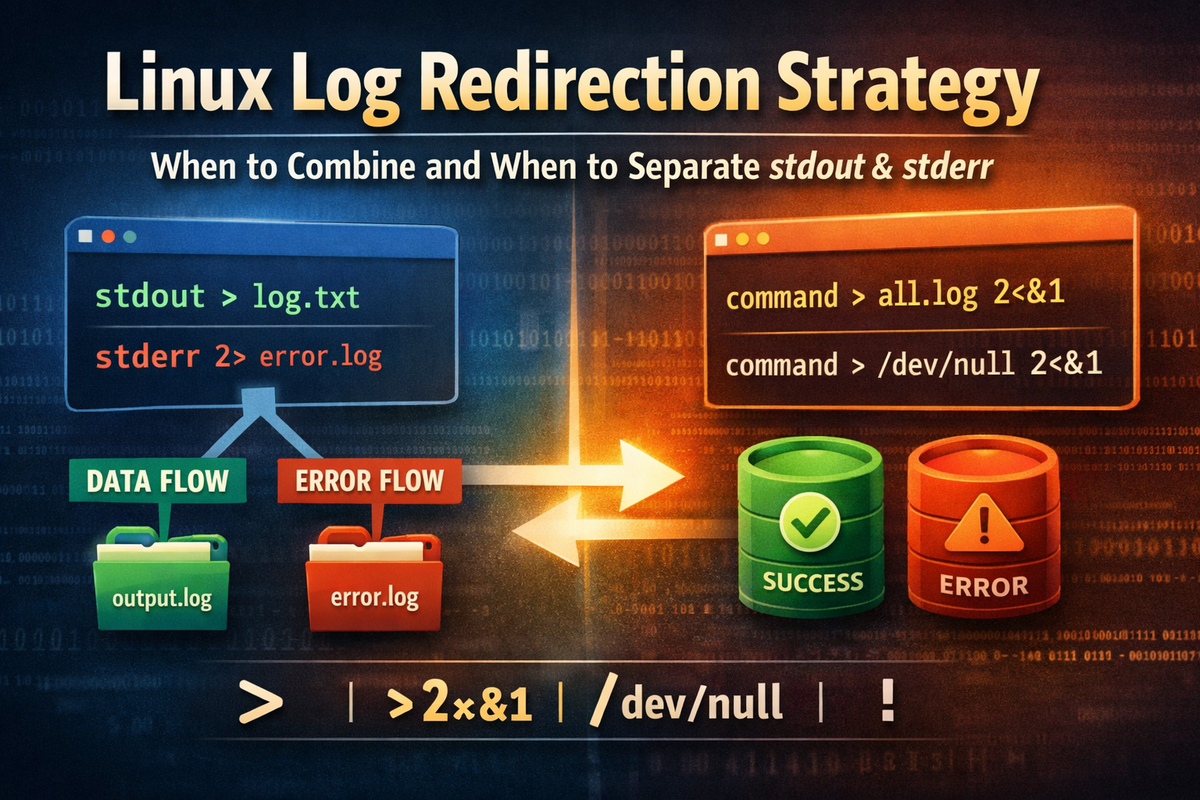
Redirection syntax is the mechanism that controls where these flows go. > changes the destination of stdout, 2> changes the destination of stderr, and 2>&1 aligns stderr with the current destination of stdout. /dev/null is a special target that discards any data written to it. This allows users to separate the flows, merge them, or discard them entirely depending on their needs.
However, the syntax itself is not the main point. For example, in batch jobs where the entire execution flow needs to be reviewed in a single place, combining stdout and stderr makes sense. In contrast, in a data processing pipeline where stdout represents structured data such as CSV or JSON, stderr must be kept separate. In other words, the choice of syntax depends entirely on the purpose. The key is not the syntax—it is the strategy.
3. Why It Matters
3-1. Problem: Output Looks Like One, but Is Actually Two
In the terminal, stdout and stderr are displayed on the same screen. Because of this, many people mistakenly assume that output is a single stream. When a simple command is executed, both normal output and error messages appear together. This makes it easy to perceive them as one unified output. However, from the operating system’s perspective, they are separate from the start. They simply share the same default destination—the terminal.
This difference becomes apparent the moment output is written to a file or passed through a pipe. Consider the following command:
command > result.txt
At first glance, it appears that “the output has been saved to a file.” But in reality, only stdout is redirected to result.txt. If the command produces error messages via stderr, those errors are not written to the file—they remain in the terminal. If a user inspects only result.txt and assumes the operation completed successfully, they may completely miss the actual cause of failure.
The issue becomes more severe in automated environments. If a person is watching the terminal, they might notice stderr messages on the screen. However, in batch jobs, cron tasks, CI/CD pipelines, background processes, or remote execution environments, the terminal output is often not observed directly. In such cases, if only stdout is stored and stderr is not handled, the root cause of failures may not be recorded or may become extremely difficult to trace. In other words, the misconception that “output is one” is not just a conceptual mistake—it directly affects operational quality.
3-2. Limitation of the Common Approach
The problem is that many users assume that logs can be treated as a single stream. On the surface, this assumption appears reasonable because both outputs are displayed together in the terminal. However, the actual structure is fundamentally different. stdout represents normal data, while stderr represents error messages. Ignoring this distinction creates conflicts between data processing and failure analysis.
For example, suppose a program generates CSV data through stdout and prints warnings or errors through stderr. If these are blindly combined into a single file, error messages may be embedded within the data file. This can cause downstream CSV parsers to fail, break processing scripts, or corrupt stored data. On the other hand, simply separating everything is not always the correct solution either. In batch execution scenarios, if stdout and stderr are overly separated, it can become difficult to reconstruct the full execution timeline and understand at what point and in what context an error occurred.
In other words, neither extreme is universally correct. The issue lies in simplistic approaches such as “always combine” or “always separate.” In real-world operations, the decision must be based on the nature of the output and how it will be consumed. Whether data integrity is more important than readability, whether logs will be analyzed by humans or consumed by machines, and whether stdout is part of a pipeline—all of these factors must be considered.
3-3. The Solution Structure
Linux is designed from the beginning to separate data flow and error flow. It then allows users to combine, separate, or discard them as needed. This design is not merely for convenience—it enables flexible handling across a wide range of operational scenarios.
For example, if only normal output should be written to a file while errors remain visible in the terminal, using > alone is sufficient. If only errors need to be collected, 2> can be used. If the entire execution should be recorded in a single file, > file 2>&1 can merge both flows. If the output is completely unnecessary, it can be discarded using /dev/null. In other words, the operating system provides a structure that allows users to explicitly design their output strategy.
This point is critical. Linux is not a system that automatically consolidates all output into a single log. In fact, it does the opposite. It separates flows by default and requires the user to intentionally combine them when needed. Therefore, the correct log strategy is not something the tool decides—it is something the user must design. This is why redirection should be understood not as a simple syntax feature, but as a design tool.
3-4. Practical Impact
This decision directly affects batch log reliability, incident analysis speed, and automation stability. In other words, this is not just an output issue—it is an operational quality issue.
In batch processing, it is important to trace execution order and error occurrence together. Combining stdout and stderr into a single file allows the entire execution context to be read sequentially, improving analysis speed. In contrast, in data pipelines, stdout must remain clean and structured, which requires strict separation of stderr to ensure downstream stability.
In server-side background execution, the impact is even more critical. Processes must continue running independently of the terminal, and logs must later provide sufficient information for diagnosis. If stdout and stderr are not handled properly, logs may be partially lost, fragmented, or difficult to trace. Conversely, sending everything to /dev/null may keep the system quiet but eliminates observability, making it impossible to analyze failures.
Ultimately, how stdout and stderr are handled is not a matter of preference. It is one of the fundamental design decisions that determine how reliably a system can be operated.
4. Examples
Now let’s examine actual behavior through pattern-based comparisons. What matters here is not “how it looks on the screen,” but “which path the data actually takes.”
Example 1: Default output, separated but appearing on the same screen
command
In this case, both stdout and stderr go to their default destination—the terminal. Because they appear on the same screen, users perceive them as a single output. However, internally they remain separate. stdout uses file descriptor 1, and stderr uses file descriptor 2.
The meaning of this state is simple. The structure is separated, but the default destination is the same, so they only appear identical. As long as no redirection is applied, the difference is not noticeable. However, once redirection is introduced, one stream may move while the other remains, revealing their separation.
Example 2: Storing only stdout
command > out.log
This command redirects only stdout to out.log. stderr remains in the terminal. As a result, normal output is saved to the file, while error messages continue to appear on the screen.
This is one of the most common misunderstandings. Because a file is created, users often assume that “the log has been saved.” In reality, only normal output has been stored. If the root cause of failure is printed to stderr, it will not be in the file. Therefore, this pattern is suitable for saving result data but incomplete for capturing full execution logs.
Example 3: Storing only stderr
command 2> error.log
This command redirects only stderr to error.log, while stdout remains in the terminal. Normal output appears on the screen, and error messages and warnings are accumulated in the file.
This pattern is useful for error-focused logging. For example, you may want to observe normal output in real time while collecting failure causes separately for later analysis. In batch systems, stderr can also be collected into a dedicated file and integrated with alerting systems. The key point is that stderr is not just another output—it is a diagnostic channel with independent value.
Example 4: Combining all output
command > app.log 2>&1
This command first redirects stdout to app.log, then aligns stderr with the current destination of stdout. As a result, both stdout and stderr are written to app.log.
This pattern is commonly used in batch jobs, background execution, and full execution logging. It allows the entire flow to be reviewed from a single file. However, the important detail is that stderr is not simply “sent to 1,” but rather sent to “where 1 is currently pointing.” This is why order matters, and why different sequences produce different results.
Example 5: Discarding all output
command > /dev/null 2>&1
This command sends both stdout and stderr to /dev/null. /dev/null is a special device that discards all data written to it. Therefore, no output remains.
This pattern is useful for repetitive tasks or situations where output has no value. However, it is also dangerous. Both normal output and error messages disappear. This eliminates observability entirely. It should only be used when it is absolutely clear that no output is needed.
5. Practical Usage
In real-world scenarios, there is no single “correct” syntax. The correct approach depends on the context.
5-1. Batch jobs: when log integration is appropriate
In batch jobs, it is often necessary to capture the entire execution flow. When multiple steps run sequentially and warnings or errors may appear between them, separating stdout and stderr can break the context.
python batch_job.py > app.log 2>&1
This ensures that both normal progress messages and errors are recorded in a single file in chronological order. When analyzing logs later, a user can follow the full sequence of events in one place. This is particularly useful for understanding “what was happening,” “what warning occurred,” and “what failed immediately after.”
However, this strategy is only appropriate when stdout represents human-readable operational logs. If stdout is structured data meant for machine consumption, the approach must change. The decision must always consider the nature of stdout.
5-2. Data processing pipelines: when separation is required
In data pipelines, stdout often represents actual data. This includes formats like CSV, TSV, JSON, or query results. Mixing stderr into this stream will corrupt the data format.
command > result.csv 2> error.log
This pattern is critical. result.csv contains only data, while errors are stored separately in error.log. This ensures that downstream processes can safely consume the data file. If 2>&1 were used instead, the output might be easier for humans to read but would risk breaking automation.
In pipelines, data integrity takes priority over log readability. The original design of separating stdout and stderr must be preserved.
5-3. Server background execution: integration is often more practical
When running long-lived processes detached from a terminal, execution continuity and log consistency become important. A common pattern is:
nohup command > app.log 2>&1 &
nohup ensures the process continues running even if the terminal closes, and & runs it in the background. By combining stdout and stderr into a single file, users can later inspect app.log to understand the full execution state.
This approach is practical because background processes are not observed in real time. If output is split across multiple destinations or partially tied to the terminal, tracking becomes difficult. Therefore, a unified log file is often more manageable. In more advanced systems, logging frameworks may collect stdout and stderr separately, but in shell-based environments, integration is typically more convenient.
5-4. Noise reduction: when discarding output is appropriate
Some tasks are repetitive and produce output that is not needed. Examples include existence checks, health checks, or commands with excessive noise.
command > /dev/null 2>&1
This prevents unnecessary log growth and reduces disk usage and I/O overhead. It also keeps the system quiet.
However, this approach completely removes any trace of execution. If failure analysis is ever required, no information will be available. Therefore, it should only be used when output is truly irrelevant.
In practice, a safer compromise is often used:
command > /dev/null 2> error.log
This discards normal output while preserving errors. It reduces noise while maintaining visibility into failures, making it a more balanced choice than discarding everything.
6. Common Mistakes
Mistake 1: Assuming that combining everything is always better
command > all.log 2>&1
This pattern is useful, but not universally correct. If stdout is human-readable logs, it works well. But if stdout contains structured data, it can be destructive. For example, combining stderr into a CSV output can corrupt the data.
The mistake is using integration without a clear purpose. The decision should depend on whether the goal is execution flow analysis or something else. Blind integration often harms automation stability.
Mistake 2: Using > and assuming all logs are captured
command > app.log
This only stores stdout. stderr remains in the terminal. In environments where the terminal is not observed, error messages are effectively lost.
This mistake is extremely common. The presence of a file creates the illusion that everything has been logged. In reality, only normal output is saved. If full logging is required, 2>&1 or a separate stderr redirection must be added.
Mistake 3: Overusing /dev/null
command > /dev/null 2>&1
This pattern silences execution but also discards all failure information. It makes it impossible to determine whether the command succeeded or failed, and why.
The most dangerous state in operations is a silent failure. The system appears fine, but issues are occurring unnoticed. Therefore, /dev/null should only be used when output is truly unnecessary. If there is any chance that diagnostics may be needed, stderr should be preserved.
Mistake 4: Confusing pipes with redirection
command 2>&1 | grep error
This does not simply pipe stdout. It first aligns stderr with stdout, then pipes the combined output. As a result, grep processes both stdout and stderr.
Without understanding this behavior, users may be confused about why error messages appear in the pipeline. By default, pipes only forward stdout. Adding 2>&1 merges stderr into that stream. This can be useful when searching across all output, but problematic if only data flow is intended.
Mistake 5: Ignoring redirection order
These two commands look similar but behave differently:
command > file.log 2>&1
command 2>&1 > file.log
In the first case, stdout is redirected to file.log, then stderr is aligned with stdout’s current destination, which is the file. Both streams go to the file.
In the second case, stderr is first aligned with stdout’s current destination, which is still the terminal. Then stdout is redirected to the file. As a result, stdout goes to the file, but stderr remains in the terminal.
This happens because 2>&1 does not refer to a fixed file. It refers to where file descriptor 1 is pointing at that moment. Therefore, order changes meaning. Without understanding this, users may expect both streams to go to the file but find errors still appearing on the screen.
7. Related Concepts
To properly understand stdout and stderr strategies, several related concepts must also be considered together.
The first is the separation structure of stdout and stderr itself. stdout represents normal results, while stderr represents errors and diagnostic information. Because of this distinction, it is possible to store only one, discard one, or pass only one into a pipeline. If output had been a single unified stream from the beginning, it would have been much more difficult to handle normal data and error messages independently.
The second is the concept of file descriptors. In Linux, stdin is descriptor 0, stdout is descriptor 1, and stderr is descriptor 2. Syntax such as 2> and 2>&1 operates based on these numbers. In other words, this is not just string-based syntax—it is directly tied to the operating system’s I/O resource model.
The third is the behavior of 2>&1. Many people memorize it as “send stderr to stdout,” but a more accurate description is “align stderr with the current destination of stdout.” This is why the order of redirection changes the result.
The fourth is /dev/null. /dev/null is a special device that discards any data written to it. It is frequently used in output control, but at the same time, it is also a mechanism that removes observability. While it is useful for creating silent execution, it also eliminates the evidence needed for analysis.
The fifth is the pipe operator |. A pipe connects the stdout of one command to the stdin of another. By default, only stdout flows into the next command, while stderr remains separate. Because of this structure, it is possible to build composable command pipelines while keeping data flow and error flow independent. If necessary, stderr can be merged into stdout using 2>&1 before passing it through the pipe.
8. Going Deeper
The output structure in Linux is designed around output paths, not output content. This point is critical. The operating system does not analyze the content to determine whether it is a normal result or an error. Instead, it distinguishes flows based on whether the program writes to stdout or stderr. In other words, the system solves the problem through path design, not semantic interpretation.
The core of this design is composability. stdout can be redirected to a file, passed into another command, or displayed on the screen. stderr can be stored separately or left in the terminal. Because of this composability, Unix-like systems can implement the philosophy of “building complex workflows by combining small programs with pipes and redirection.” If error messages were always mixed into normal output, pipeline-based processing would become far less reliable.
In this context, 2>&1 is a tool that temporarily reconfigures this structure. The key point is not that it “merges” streams, but that it makes them “point to the same destination.” stderr itself does not become stdout. File descriptor 2 remains descriptor 2. Only its output target becomes identical to that of descriptor 1. This distinction is essential for understanding why order matters.
This structure is still actively used in modern systems. Docker collects stdout and stderr from container processes as logs. systemd manages service logs based on stdout and stderr. CI/CD tools also capture these streams during build and test execution. This is not a legacy shell behavior—it is a fundamental interface that continues to underpin modern operational environments.
This has practical implications. Understanding 2>&1 in a local terminal is not just about shell convenience—it is the starting point for understanding container logging, service operations, automation pipelines, batch processing, and incident analysis. Ultimately, stdout and stderr are not just output channels; they are a foundational convention at the lowest level of modern system operations.
9. Summary
stdout and stderr are fundamentally separate flows. Redirection is the tool used to control these flows. The key is not whether to combine or separate them, but understanding the criteria for making that decision.
In batch logs where a human needs to read the full execution context, combining is beneficial. In data pipelines where stdout represents actual output data, separation is essential. In repetitive or noise-heavy tasks, /dev/null can be useful, but it comes with the cost of losing observability. And 2>&1 should be understood not as a memorized syntax, but as a rule that aligns stderr with the current destination of stdout, which is why order affects behavior.
Ultimately, log strategy is not about syntax—it is about design. Operators like >, 2>, 2>&1, /dev/null, and | are tools for implementing that design. What matters is not “where to send it,” but “why it should be sent that way.” Only with that understanding can logs become readable, automation become stable, and incident analysis become faster.
2>&1 is a technique, but log strategy is a choice.
